On this page
article
Adding Your Own Custom Reason in Block Outs
Learn how to add your own custom reasons for blocking out time in Client Diary by typing in a new reason, clicking on the ‘Add’ button to save it, and applying it to your block out, with the option to edit or remove current custom reasons.
Client Diary comes with preset reasons for being able to block out time.
These are useful for most businesses but your business may require some more specific reasons that you regularly use.
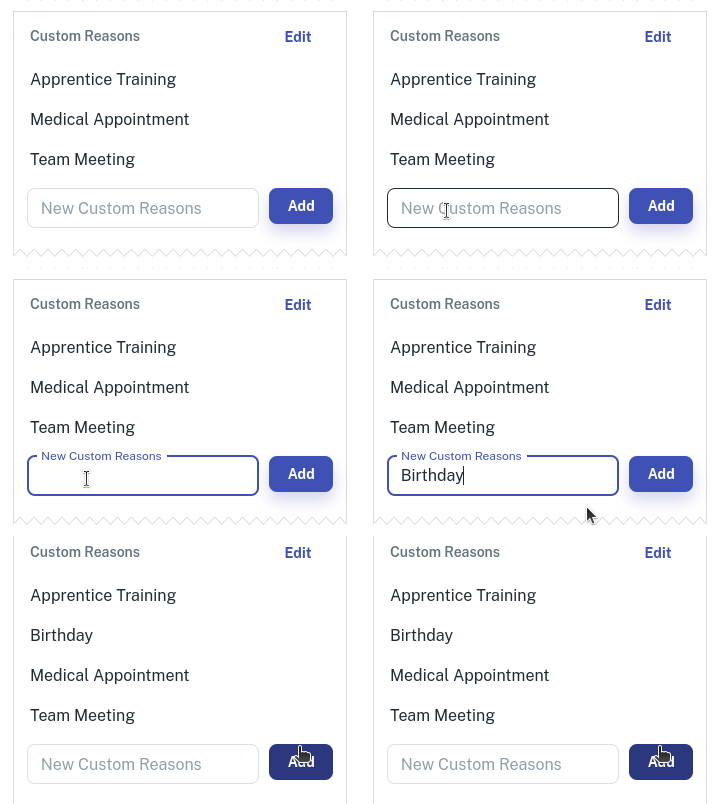
- At the bottom of the Block Out Time screen you’ll see the Customs Reasonheading
- Type in the New Custom Reasons input area and type in our own custom reason
- Click on the Add button to permanently store this reason for future use
- Optional: Select the Edit button to Remove or Edit any current Custom Reasons
- Clicking on your new custom reason you added will apply that reason to your block out
**Note:**Only account owner can make these changes in Client Diary. Please make sure you have correct permissions before trying.