On this page
article
How to Set Your Opening Hours
Easily set and adjust your business’s opening hours in Client Diary to customize your calendar view and online booking site display.
Client Diary allows for easy set up of your businesses opening hours.
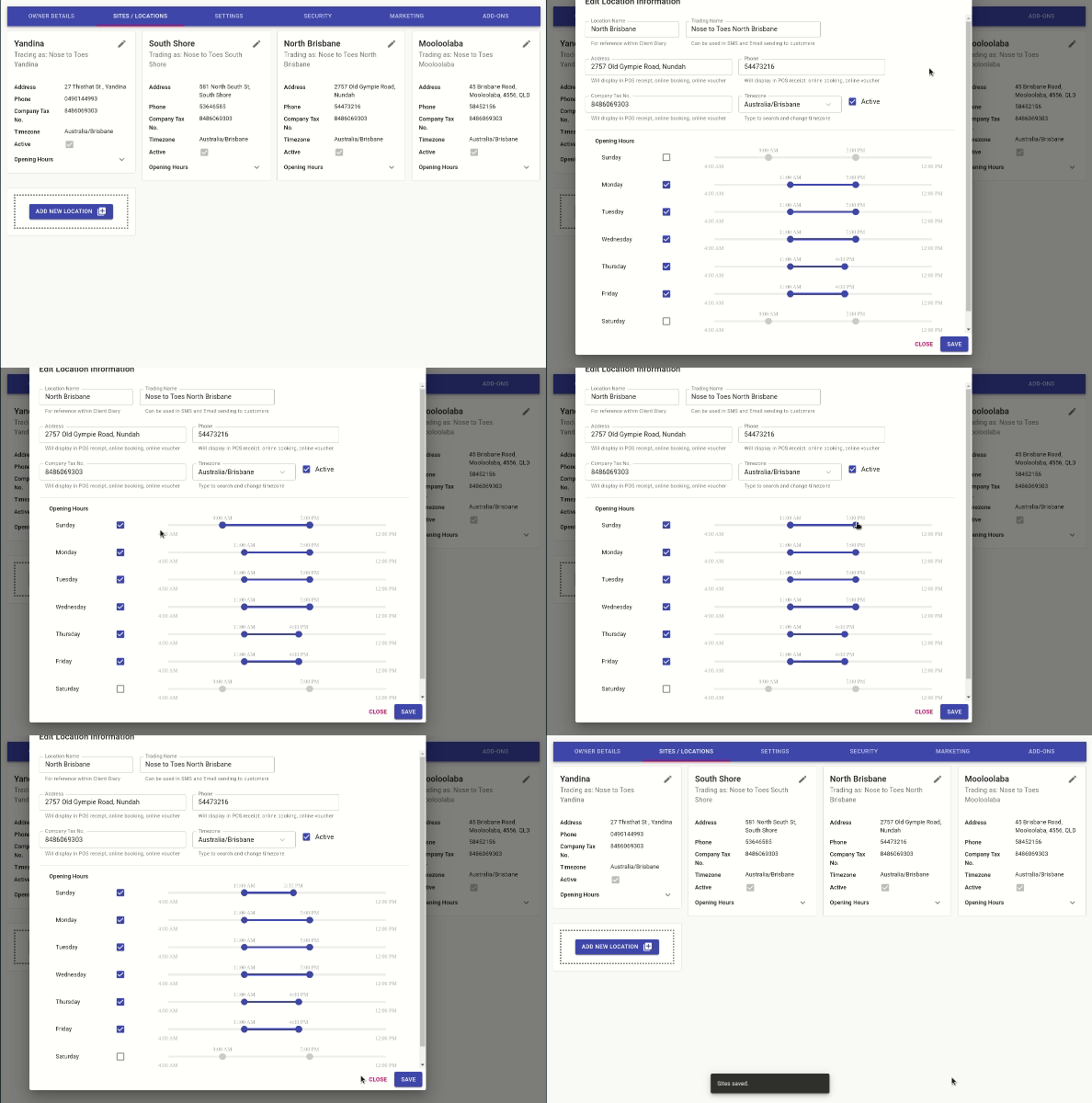
- Select the My Account menu
- Press the Sites/Locations tab
- Click on the pencil icon to Edit the Site/Location
- Untick days you are closed, tick days that you are open
- Adjust the sliders to set your opening hours
- Press the Save button
How the Opening Hours Affect Your Calendar
The hours you have listed as your Site’s opening hours are shown in your online booking site. By default, they also determine the daily time range shown on your Calendar — starting one hour before opening and ending one hour after closing. You can change this behaviour using Daily visible Start and End time of Calendar.
Was this page helpful?
What did you like?
What went wrong?