Adding a Custom Background Pattern to Your Online Booking
Customize your online booking app by adding a background pattern through Client Diary’s simple steps in your account settings.
Classic Online Booking: This page covers the Classic Online Booking system. For all new setups, we recommend following the current Online Booking Overview and How to Set Up Online Booking.
Client Diary allows you to choose either a solid background of any colour you choose for your Online Booking app, or you can choose from a range of patterns.
Choosing a Background Pattern
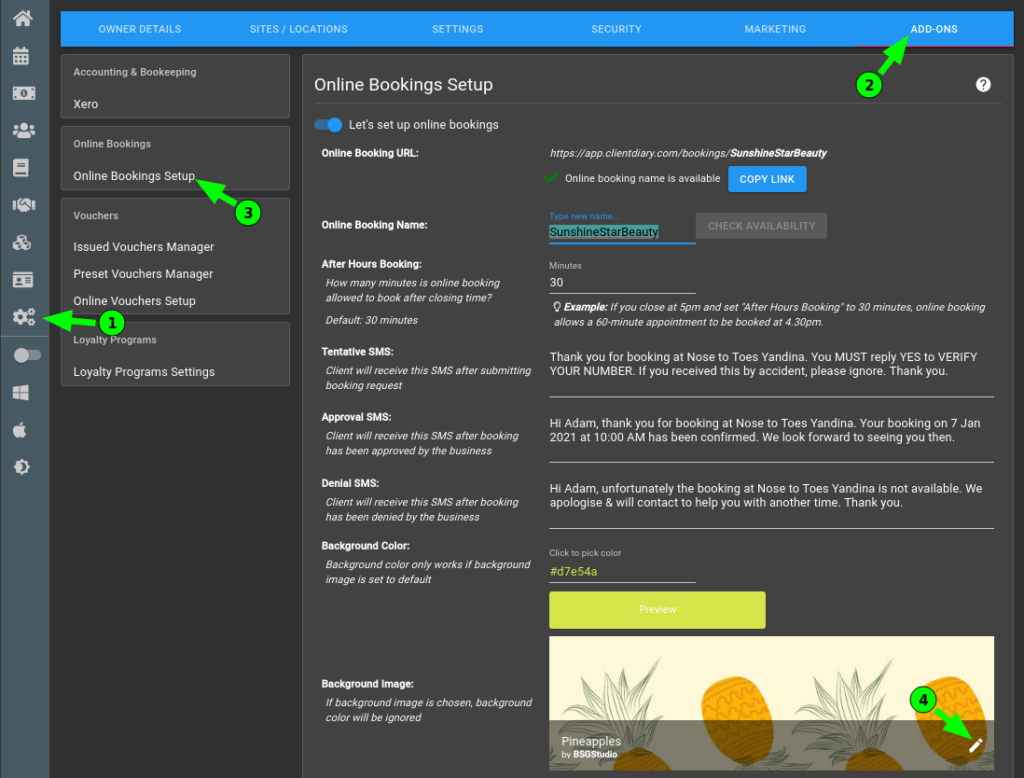
- Head to My Account
- Choose Add-Ons
- Press Online Booking
- Select the Edit Icon
- Select a New Pattern from the ones on display
- Press the OK button
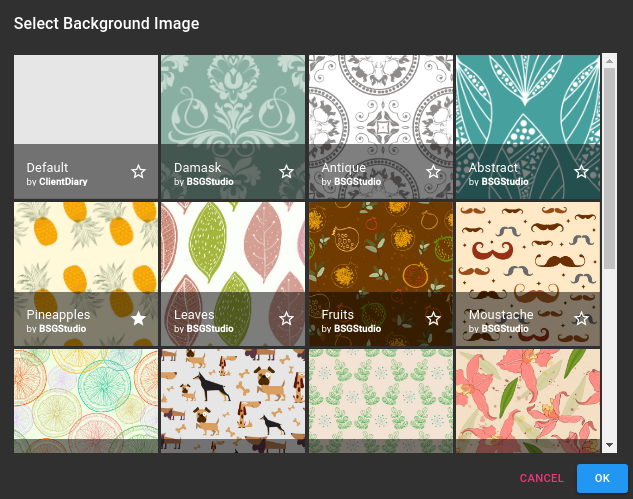
- Press the Save Button to apply the changes.
If you view your online booking page you will now see the background has updated to the pattern you selected.
For more info on Online Booking visit our article on the Online Booking Overview.
What did you like?
What went wrong?