Limit How Far In Advance An Online Booking Can Be Made
Set a limit on how far in advance clients can make online bookings to reduce no-shows and re-bookings by accessing the Online Booking Setup in Client Diary under the My Account menu and Add-Ons tab, then adjusting the Number of days bookings can be made into the future setting.
Classic Online Booking: This page covers the Classic Online Booking system. For all new setups, we recommend following the current Online Booking Overview and How to Set Up Online Booking.
Your business may prefer if clients have a limited amount of time which they can book in the future. This will help reduce no show clients and clients that need to re-book because they forgot about the appointment. Client Diary has a powerful online booking system that can limit how far into the future an online booking can be booked.
To set this up:
- Select the My Accountmenu
- Press the Add-Onstab
- Click on Online Booking Setup
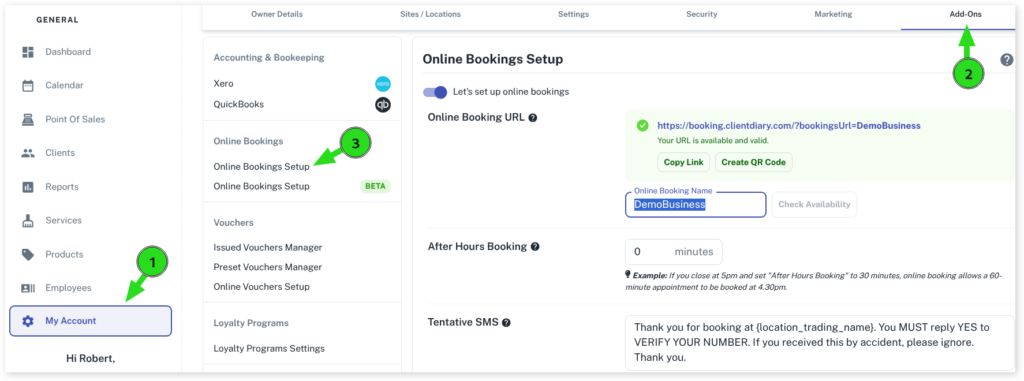
- Scroll down to Number of days bookings can be made into the future
- In the Daysoption put in how many days limit you want to apply
- Select Saveto apply changes

What did you like?
What went wrong?