On this page
article
How to Deactivate a Service or Category
Here you will learn how to make a Service of Service Category inactive.
NOTE: For tax, legal, and auditing compliance, our platform does not support the permanent deletion of Services or Service Categories that have historical data attached to them. You can, however, archive or deactivate old services so they are hidden from your booking page while still preserving your financial records.
Deactivating a Service
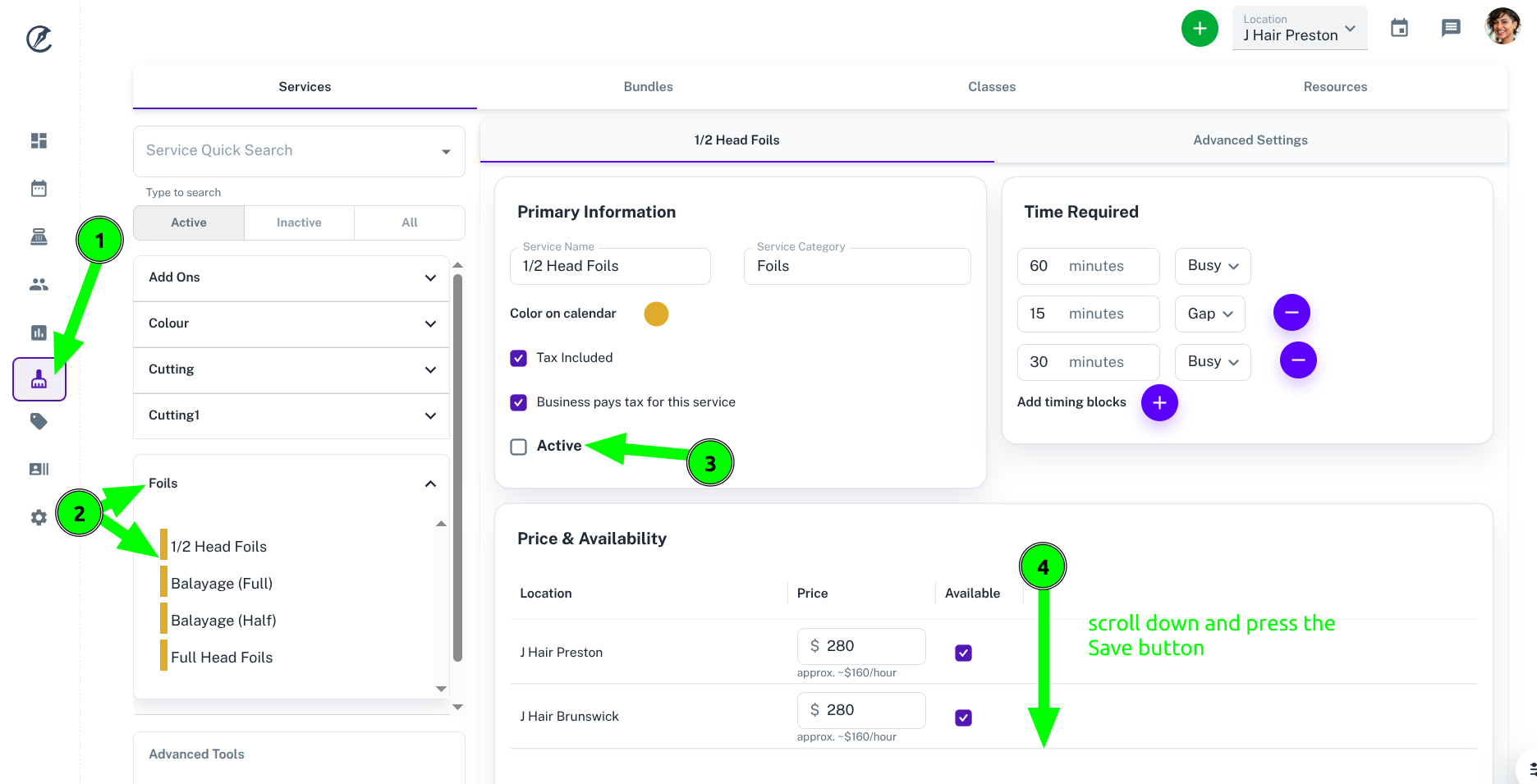
To deactivate a service:
- Click on the Services Icon
- Locate the Category then Service and select it
- Uncheck the “Active” box
- Scroll down and press the Save button to save the changes
Deactivating a Service Category
To deactivate a Service Category, there are 2 options:
- Follow the steps above for every service in that category. When there are no active services in a category, that category will automatically go into the Inactive list.
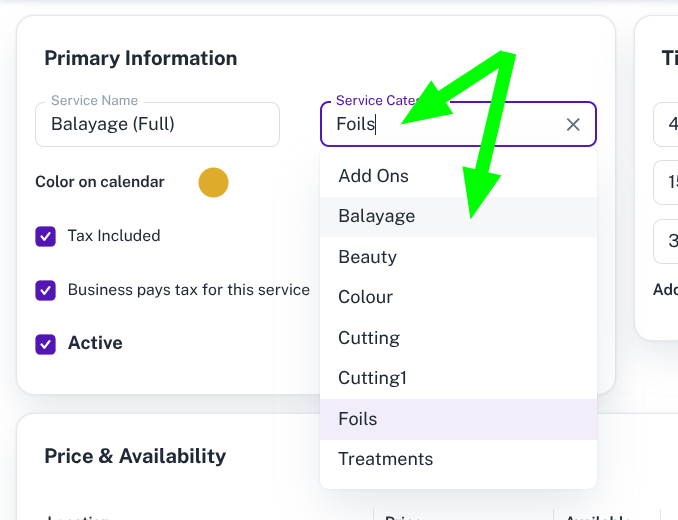
- If you would like to move the service to another category or rename the category, you can select the new category when editing the service (pictured below) and save your changes. Again once thi is completed that category will automatically go to the Inactive list.
Below are some helpful links related to services:
Was this page helpful?
What did you like?
What went wrong?