On this page
article
Mobile App – How to Cancel an Appointment
Learn how to cancel an appointment on the mobile app by selecting the Edit icon, scrolling down to Cancel Appointment, and pressing the Yes button.
To cancel an appointment please follow these steps:
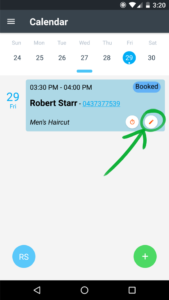
- Select the Edit icon on the appointment
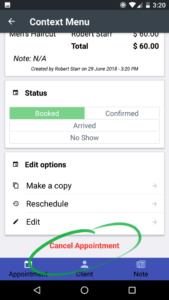
- Scroll down to Cancel Appointment and press it
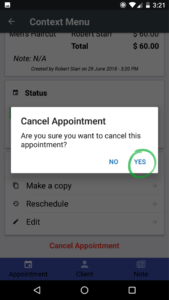
- Press the Yes button
Was this page helpful?
What did you like?
What went wrong?