On this page
article
Deleting / De-Activating a Service Bundle
Learn how to delete or de-activate a Service Bundle by following simple steps in this document, making it hidden from bookings until re-activated.
If you have your Service Bundles setup and decide you don’t want to offer a particular Bundle anymore, you can easily delete/de-activate a Bundle. This document shows you how.
- Select the Services menu
- Press the Bundles tab
- Choose your site/location

- Select the Edit button on the Bundle you wish to remove
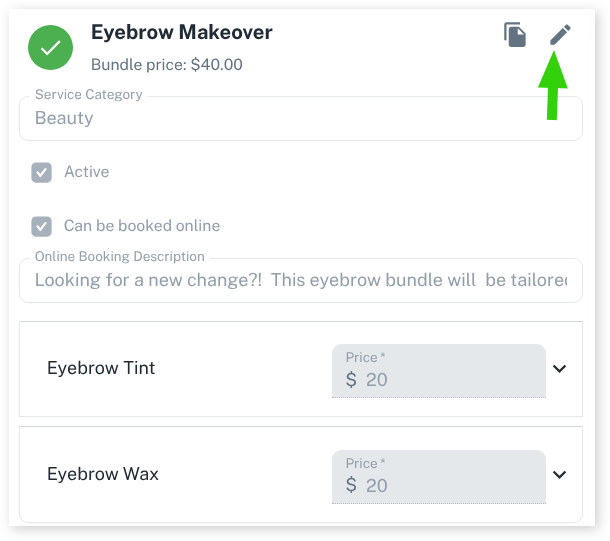
- Untick the Active check box
- Press the Save button
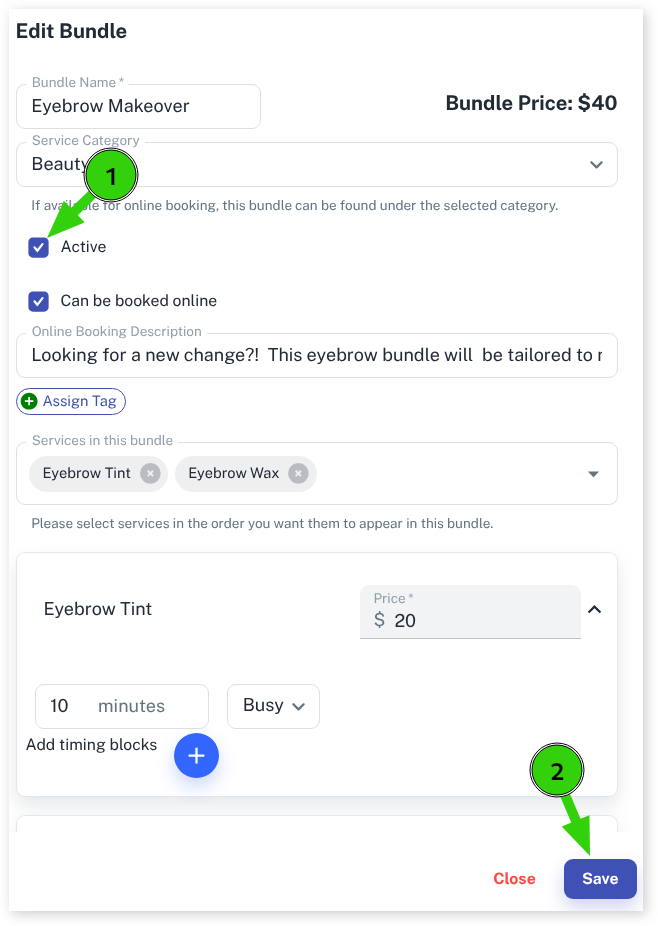
The Bundle will now be hidden from bookings and not usable again unless you wish to re-activate it.
If you want to learn more about Bundles, be sure to read the Service Bundle Overview.
Was this page helpful?
What did you like?
What went wrong?