On this page
article
How to Hide Non-Rostered Staff on the Calendar
Learn how to hide non-rostered staff on the Client Diary calendar for improved readability and faster booking by following these simple steps in the My Account settings.
Client Diary strives to have a convenient and easy to use interface. Our Calendar features an easy to view slide out menu with quick methods to add and edit appointments. Too many employees on the Calendar can make it hard to read. Having the option to hide team members that aren’t rostered, makes the Calendar easier to read and faster to book in your clients.
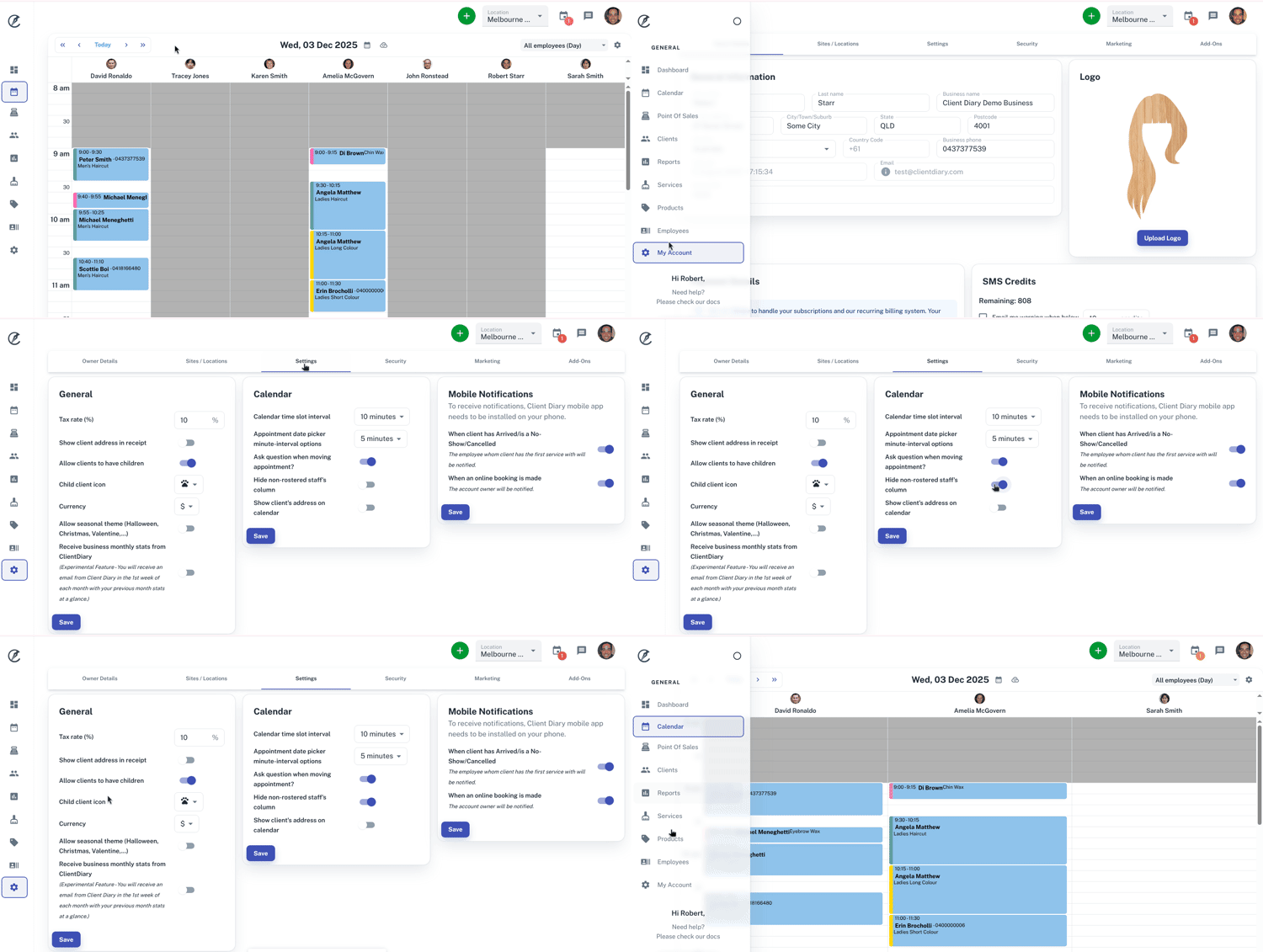
To hide non-rostered team members:
- Select the My Account menu
- Press the Setting tab
- Click the toggle for Hide Non-Rostered Staff’s Column
- Press the Save button
When loading back at the Calendar, any non-rostered team members will be hidden from view.