On this page
article
Copying an Appointment to Another day
Learn how to copy appointments to another day in Client Diary by following these step-by-step instructions, including examples of moving appointments a day or a week ahead.
Sometimes you may want to duplicate or copy an appointment into another day.
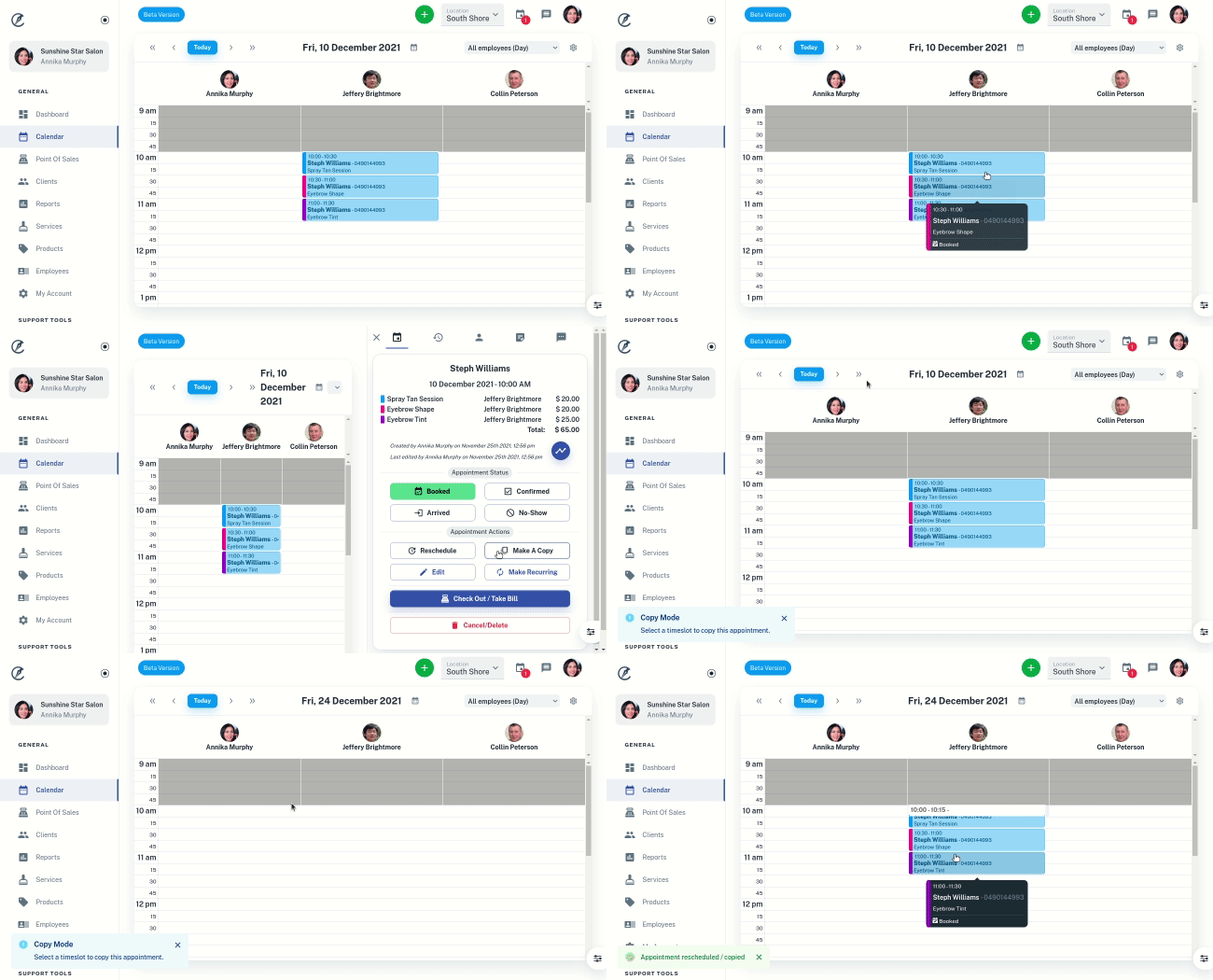
- Open Calendar to the appropriate date
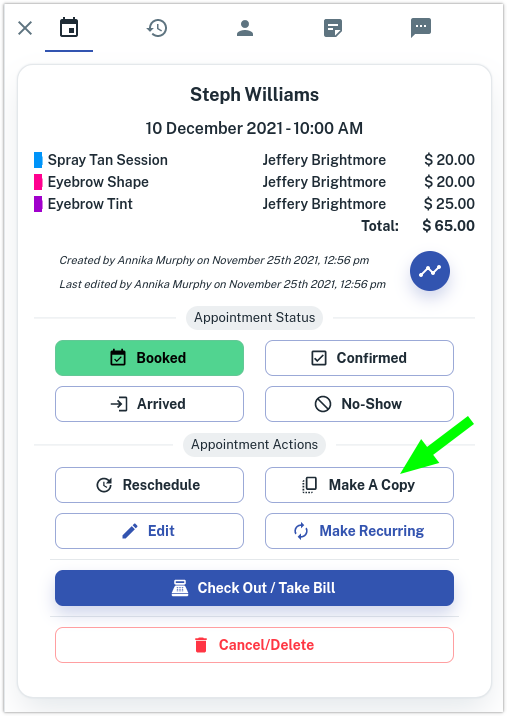
- Select the Appointment in the calendar. This makes the right slider appear.
- Press the Make a Copy button
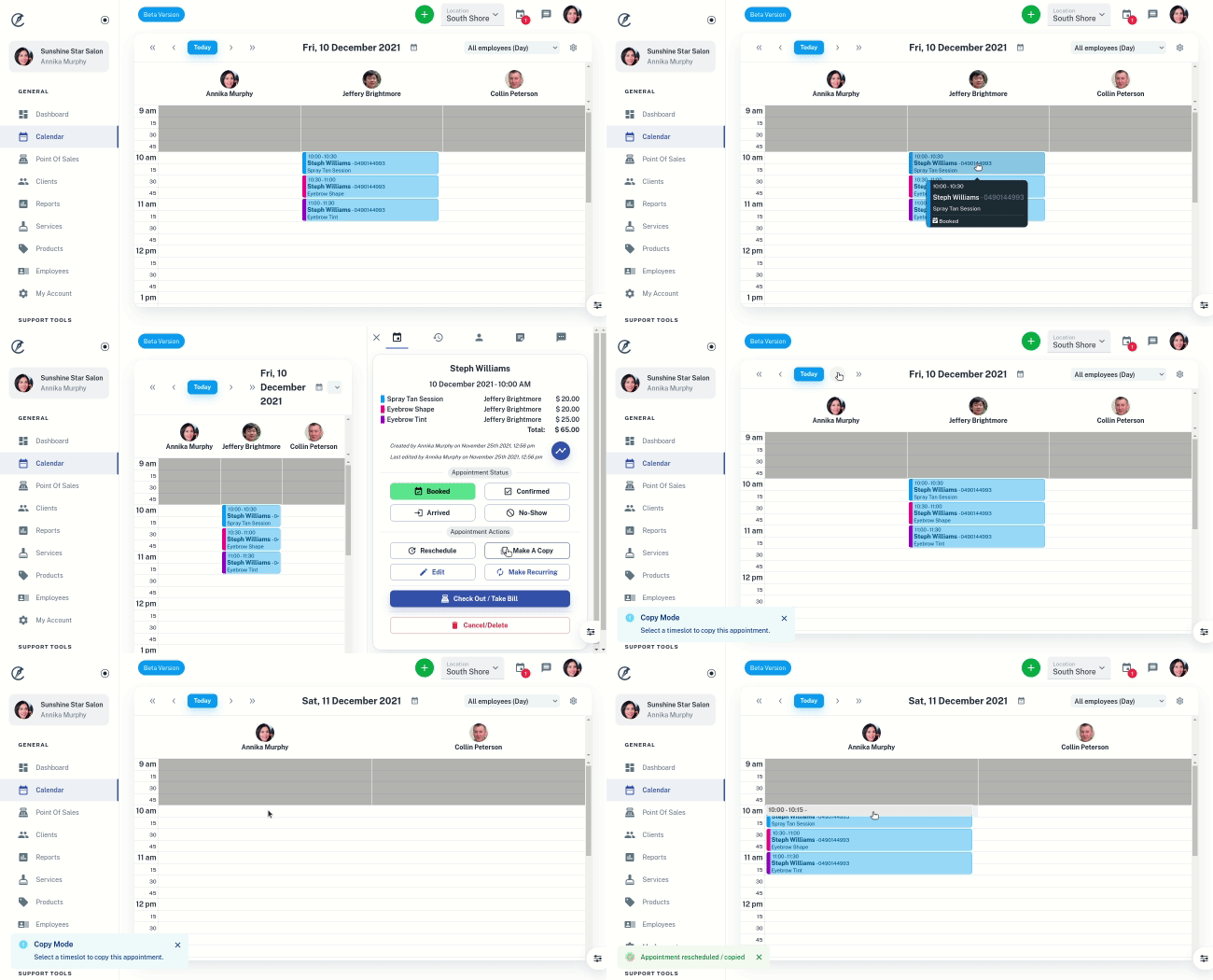
- Move to the day you want using the Calendar « < > » buttons
- Click on where you want the appointment to move to
Example of Copying an Appointment a Day Ahead
Example of Copying an Appointment a Week Ahead