On this page
article
Deleting a Single Service in a Multi Service Appointment
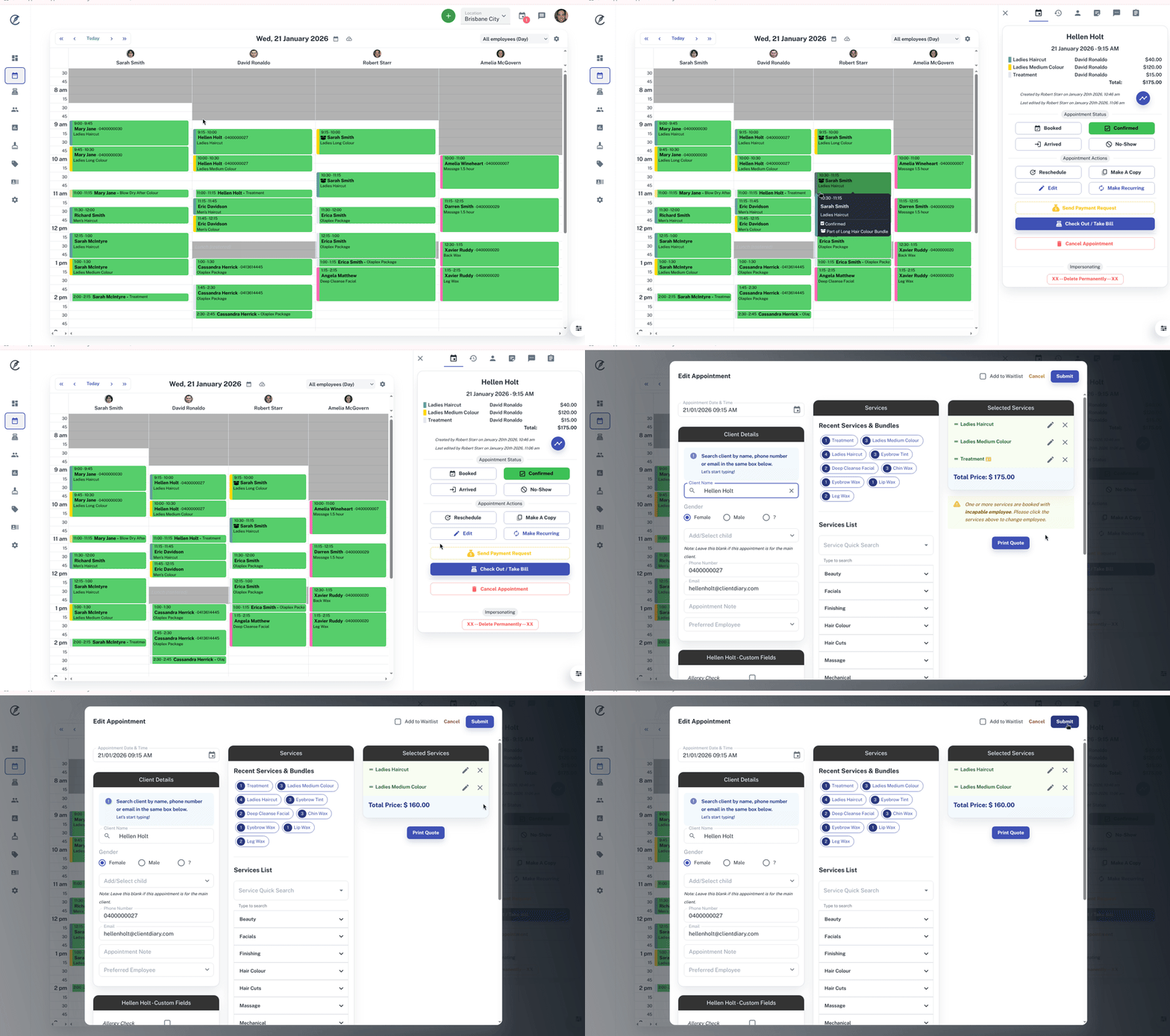
Learn how to efficiently delete a single service from a multi-service appointment in Client Diary by following these steps: Select Calendar, click on the specific appointment, edit the appointment, remove the unwanted service under Selected Services, and then submit the changes.
A client may book an appointment with multiple Services then cancel a particular Service. Instead of cancelling the entire appointment, you can edit the appointment and take out the Service that is no longer needed.
This is how:
- Select the Calendar menu
- Click on the Appointment of the Service you no longer need
- Under the Appointment tabclick on the Editbutton
- Under the Selected Services headingpress the x button next to Service you would like to delete from the appointment
- Click Submitto apply changes to the appointment