On this page
article
How to Block Out the Whole Day
Learn how to efficiently block out an entire day on your calendar for various reasons without altering team schedules by following these simple steps.
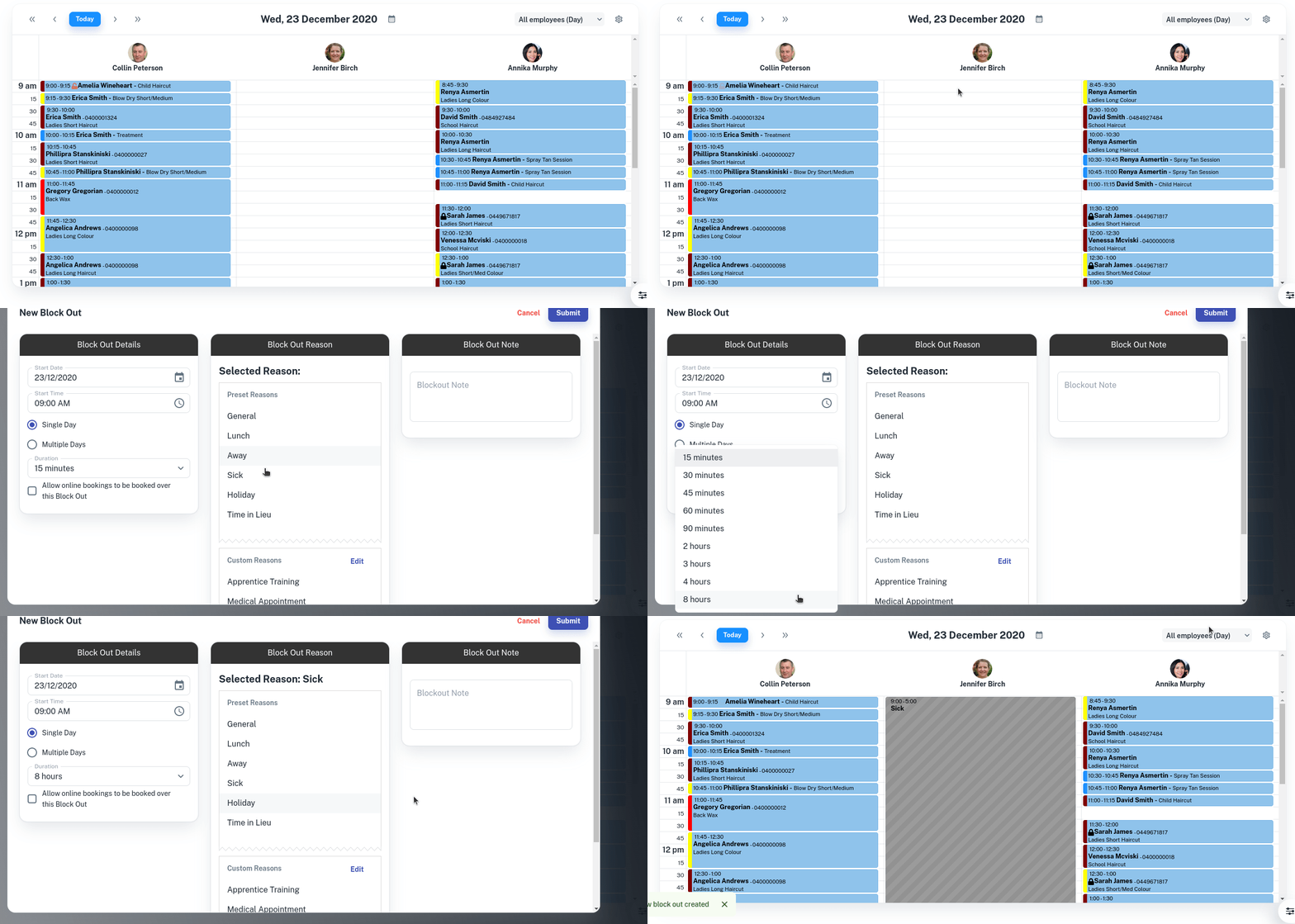
You may have to quickly block out a day due to a team member being sick or want to block out a day without changing the team rosters.
This is how:
- Select the Calendar menu
- Click on time to start Block Out
- Choose Block Out Time
- Select Duration drop down and click on 8 hours
- Optional: Enter the Reason of Block Out
- Optional: Enter a Note for the Block Out
- Press Submit