On this page
article
How to View a Clients Details in a Class
Learn how to easily view a client’s details before a class by following these simple steps on the calendar interface.
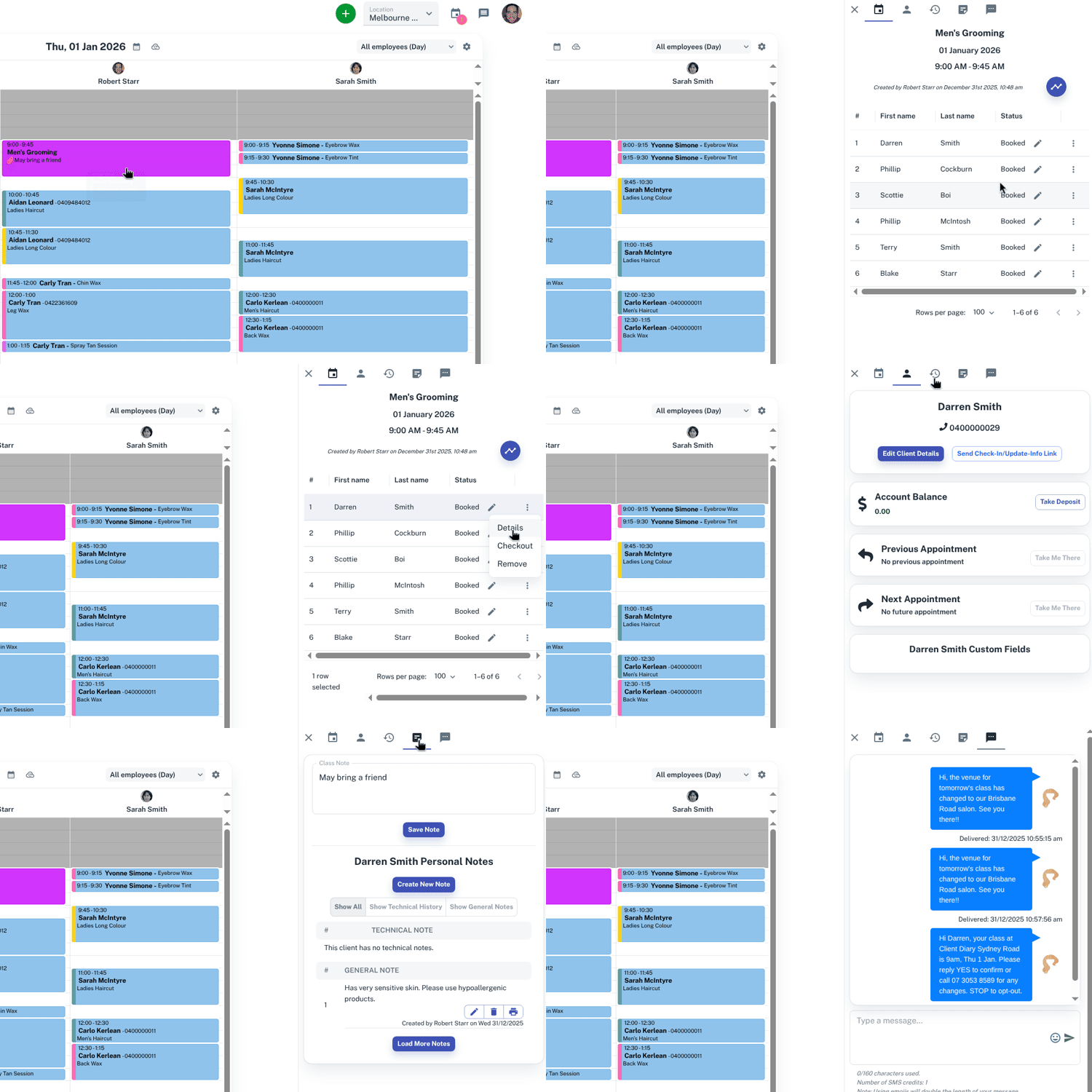
Before a class you may like to check a clients details, to see if they have attended a previous class, if they have any notes or to see if they have confirmed. This can be viewed directly on the class.
To do this:
- Select the Class on the Calendar
- On the slide out window you will now have your class information
- Press the 3 dot menu
 in the row that shows the client’s name
 - Press the Details option
- You now have access to the clients details
For further information on classes, Click Here.