On this page
article
Client Deposits / Client Accounts – Viewing the Client’s Balance
Learn how to easily view your client’s account balance through three different methods: using the Calendar menu, checking the POS screen, or accessing the Client Overview in this document.
This document shows three different and easy ways to view the current balance for your client’s account.
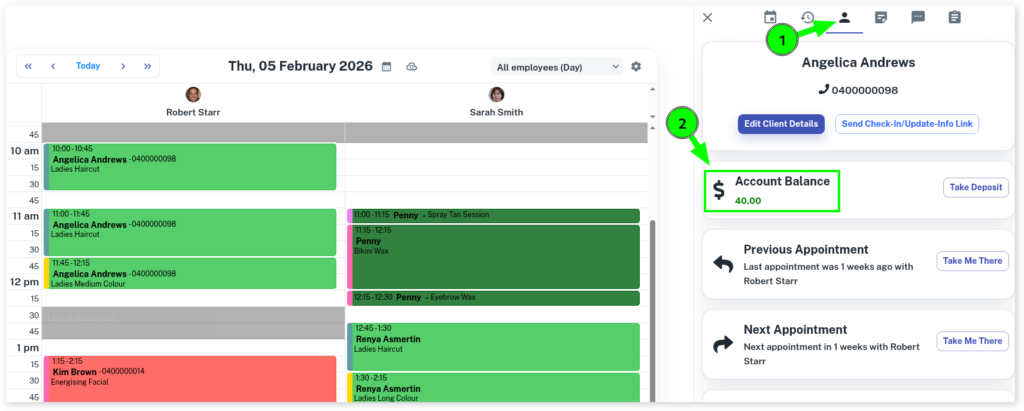
From the Calendar
- Select the Calendar menu
- Click on the Client’s Appointment.
- In the slide out menu, select the Client tab. The balance is shown here.
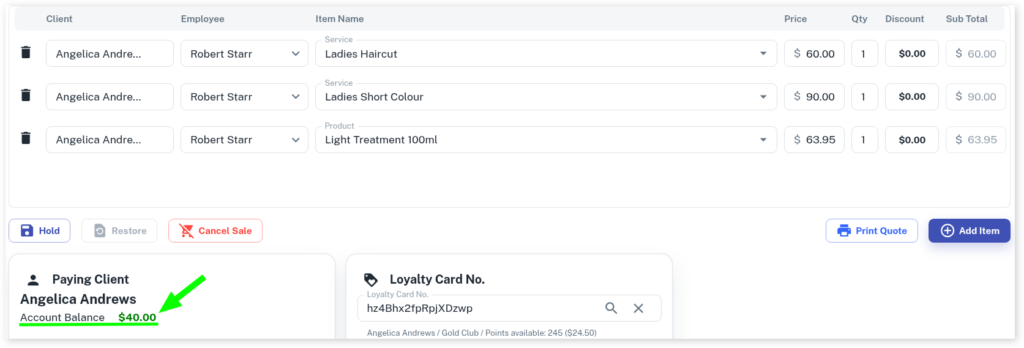
From POS
- When at the POS screen look in the status box on the right, the client’s current balance is shown here.
From their Client Overview
- Head to the Clients menu
- Select or search the client’s name
- The client’s account balance is shown here.
