On this page
article
How To Add Child In The Client Add/Edit Area
Learn how to add a child in the client add/edit area by following these steps in the Clients menu, including selecting the Parent/Child tab and confirming the added account before saving changes.
If you haven’t yet, be sure to read the Parent/Child overview before continuing.
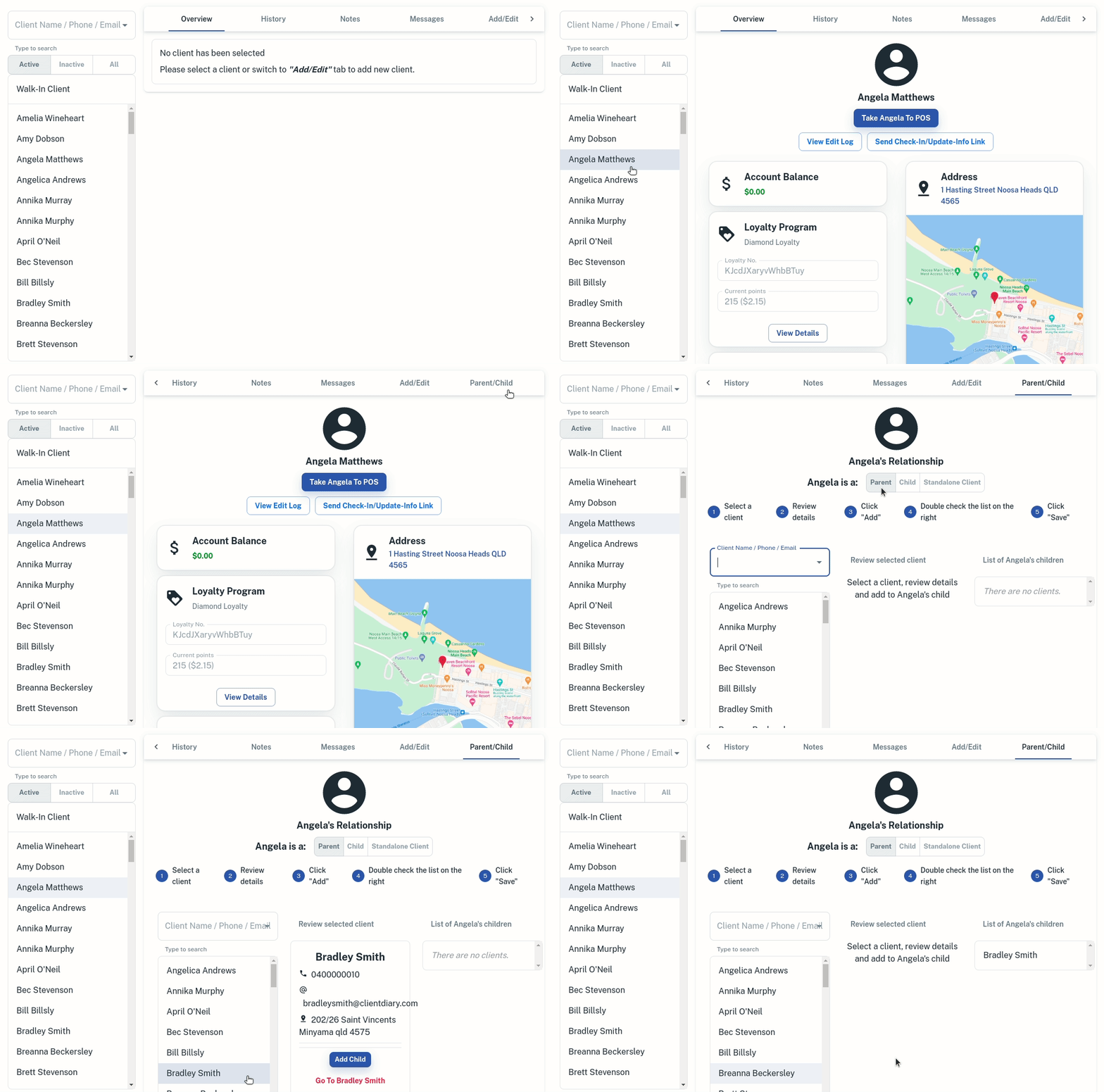
- Go to the Clients menu
- Search for the client you want to add the child to
- Select the Parent/Child tab, you may need to scroll across to see this
- Click whether the client is the Parent, or the Child.
- If adding Child to an Adult, Search the child you want to add to the parent.
- Optional : If adding a adult to a child, search the name of the parent
- Click Add
- Confirm the added Child account is correct
- Press Saveto apply changes
- Optional: To remove the saved Parent or Child Account settings press Standalone Client and Save
