On this page
article
How to Re-activate an Employee
Learn how to re-activate an employee by following simple steps in your employee management system, ensuring access to their details and allowing them to log in again when needed.
Sometimes you may de-activate an employee and then find out you need to re-activate / undelete the employee so you can get access to their details / calendar / etc.
To do this:
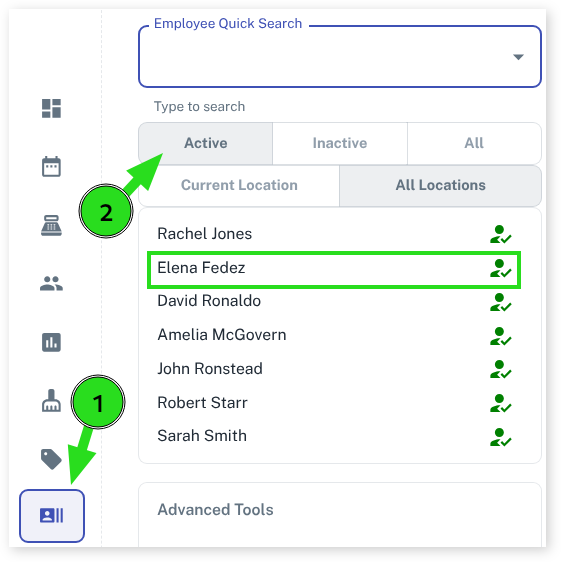
- Select the Employees menu
- Press the Inactive employees option
- Click on the Employee you need to re-activate
- Press the Add/Edit Details tab
- Tick the Active check box
- Press the Save button
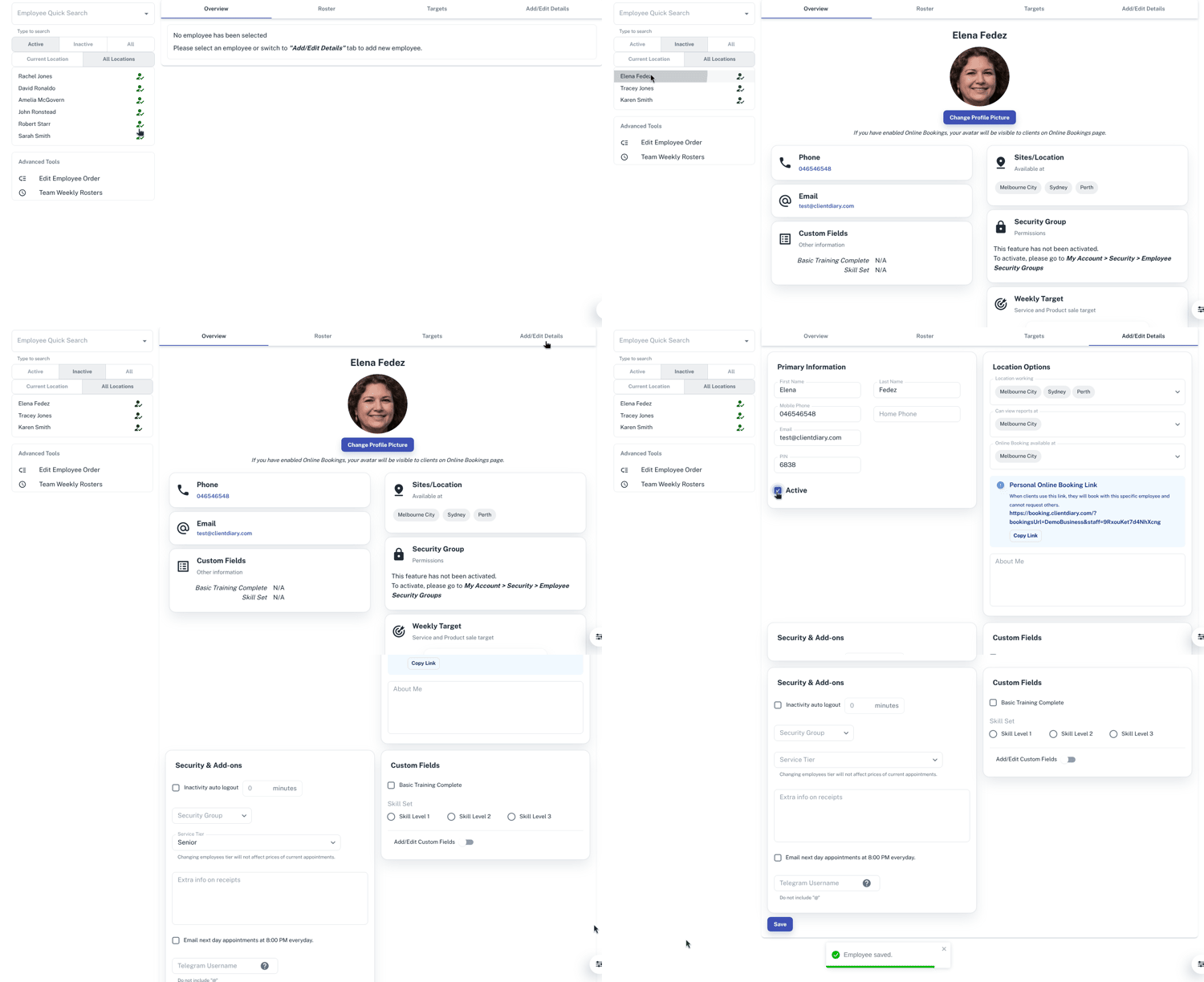
- Select the Active employees option
This will bring the employee back to active status where you can then use their column again and the employee can log in again if required.