On this page
article
How To Remove an Employee
Learn how to remove an employee by following these step-by-step instructions in your Client Diary account, ensuring to move any appointments to a new employee before deactivating them.
There may be a time when removing employees will be necessary, this document will show how.
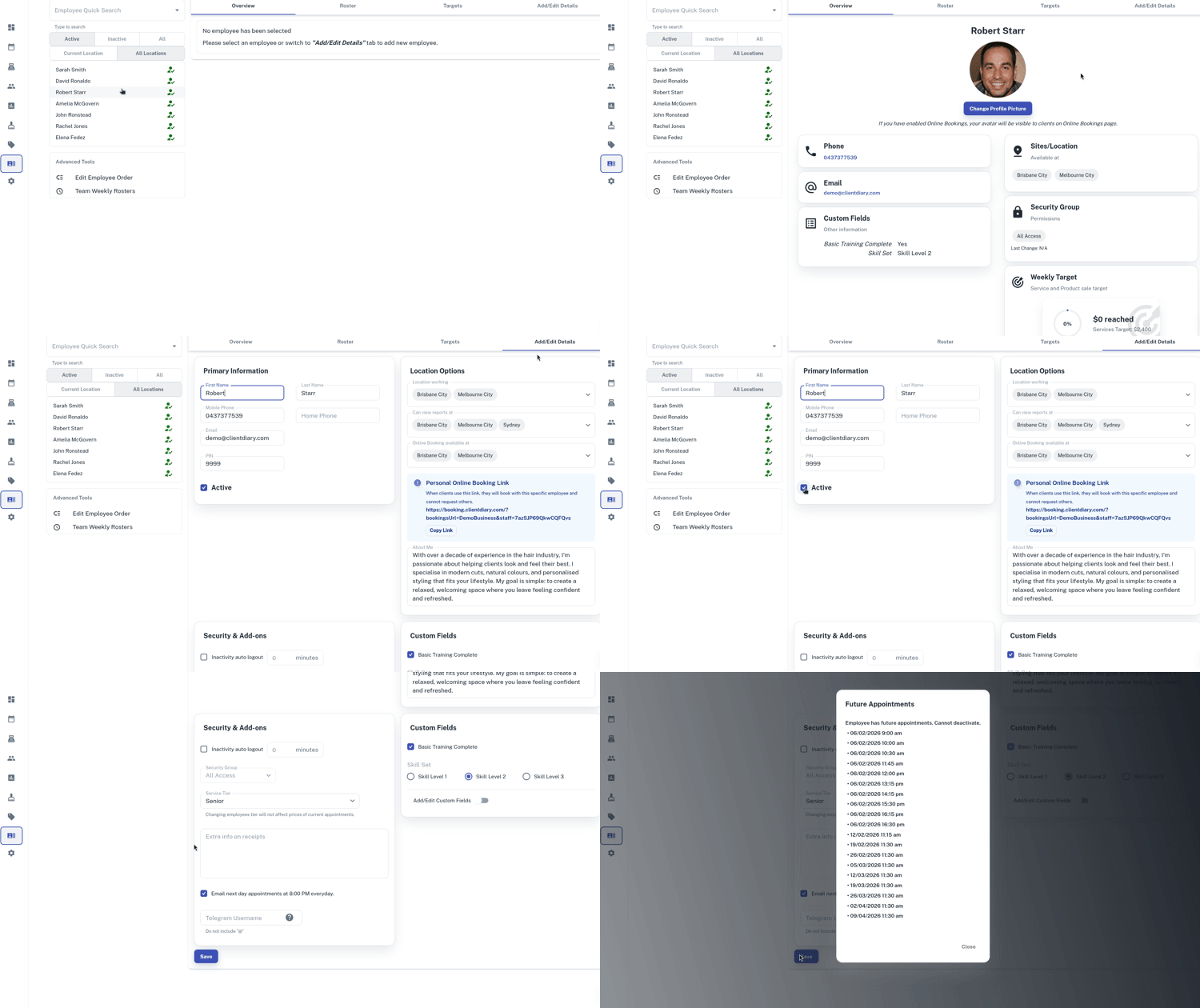
To do this, follow these instructions
- Select the Employees menu
- Search the employee you want to remove
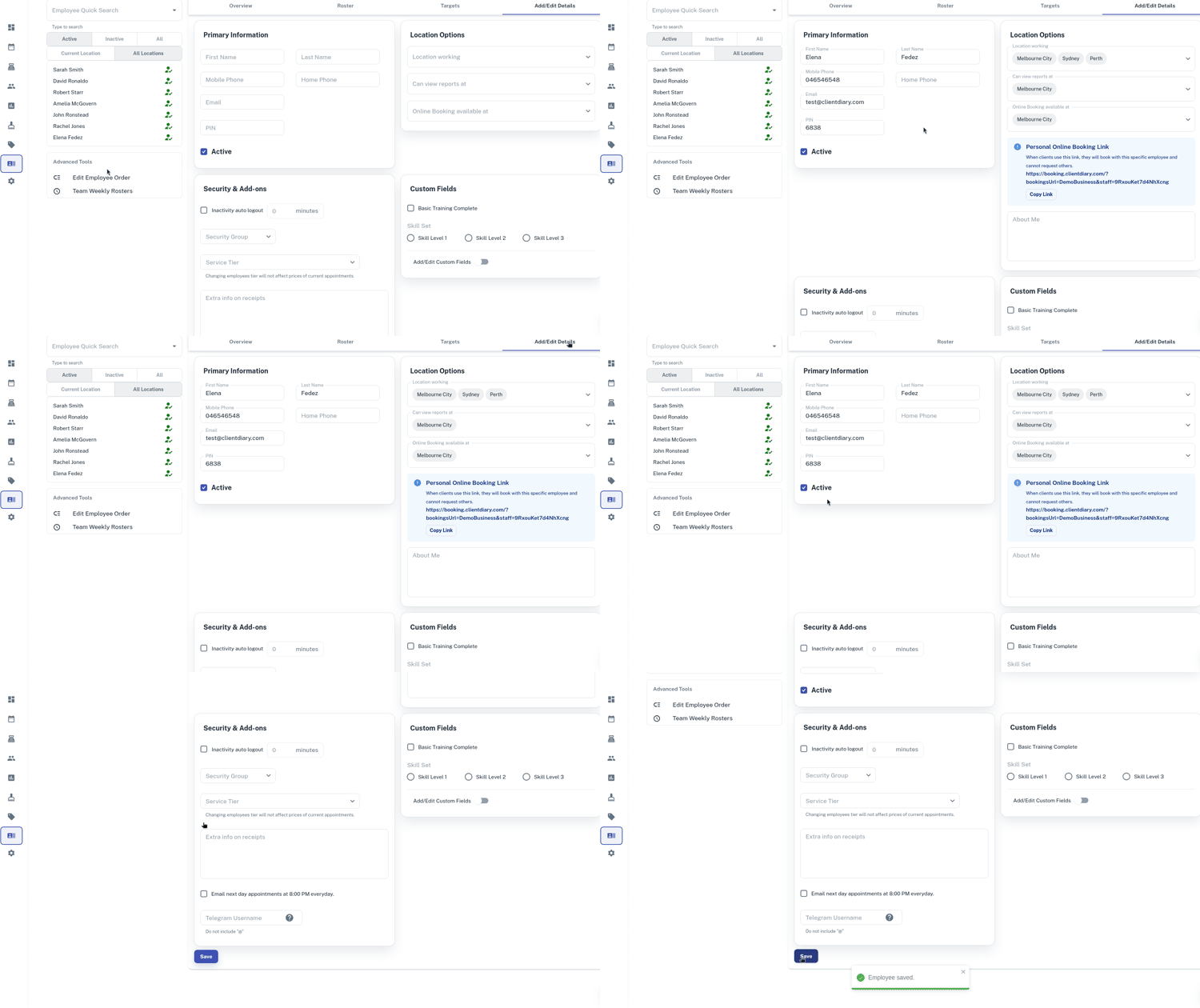
- Press the Add/Edit Detailstab
- Untick the Active Box
- Click on Save
“Important” Any appointments still on the employee’s calendar/column will need to be moved to a new employee’s column before the employee can be made inactive. Please ensure any future appointments have been moved to a new employee’s column before removing the old employee.