Editing After Appointment Follow-Up Marketing Messages
Learn how to edit After Appointment Follow-Up marketing messages by accessing the Marketing tab in My Account, selecting the After Appointment Follow-Up option, and making adjustments to the time and message before saving the changes.
If you are using After Appointment Follow-Up marketing (click here to learn more if not), you may find you wish to change the message to fine tune your communication delivery. This document shows you how.
- Select the My Account menu
- Select the Marketing tab
- Choose the After Appointment Follow-Up option
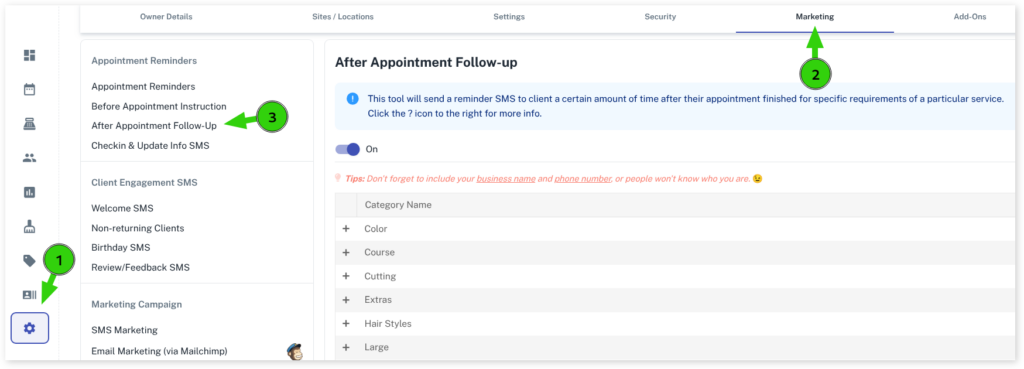
- Open the Service category with the + symbol
- Find your Service
- Press the Edit button
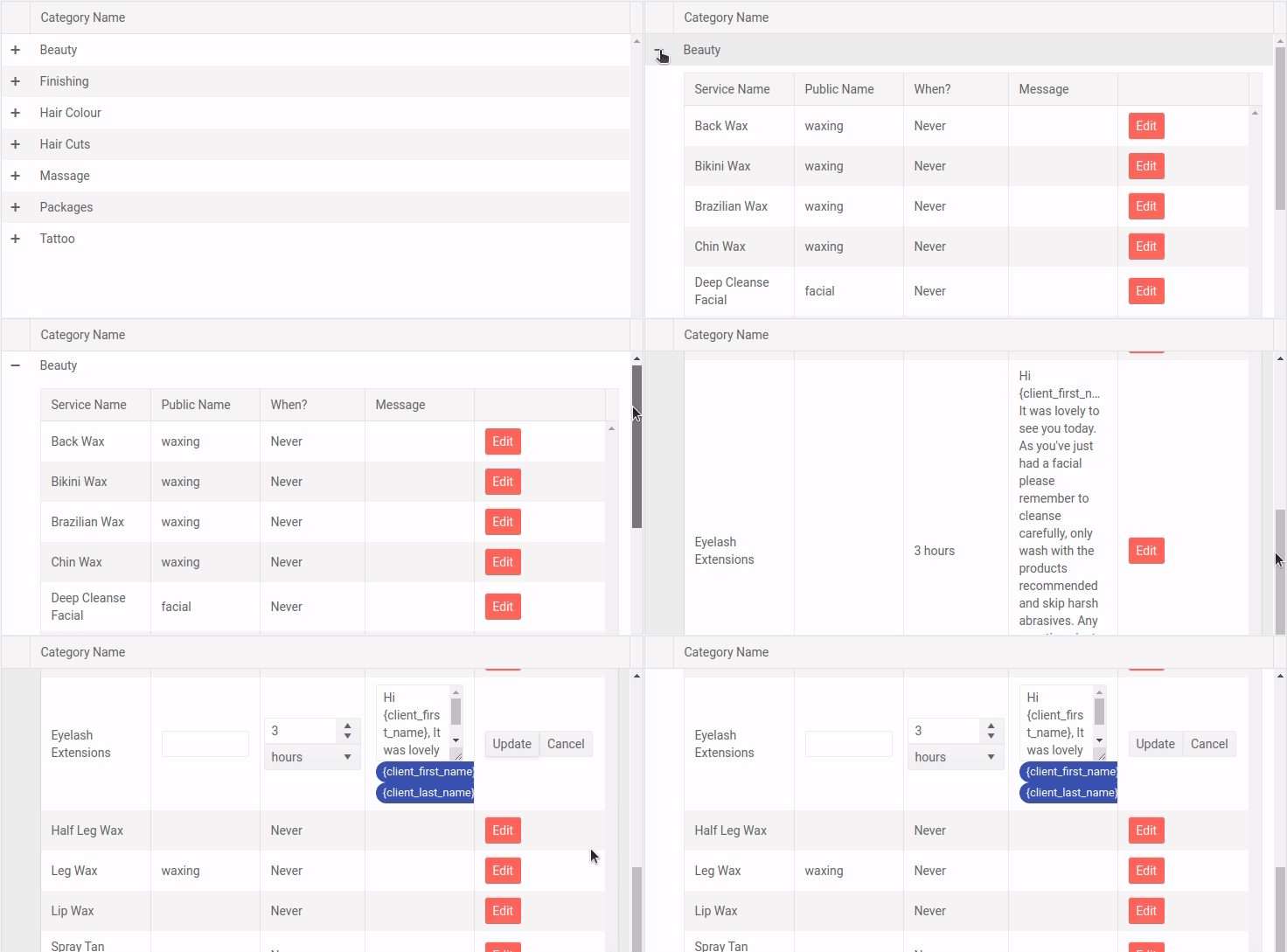
- If required, adjust the time

- If required, adjust the message
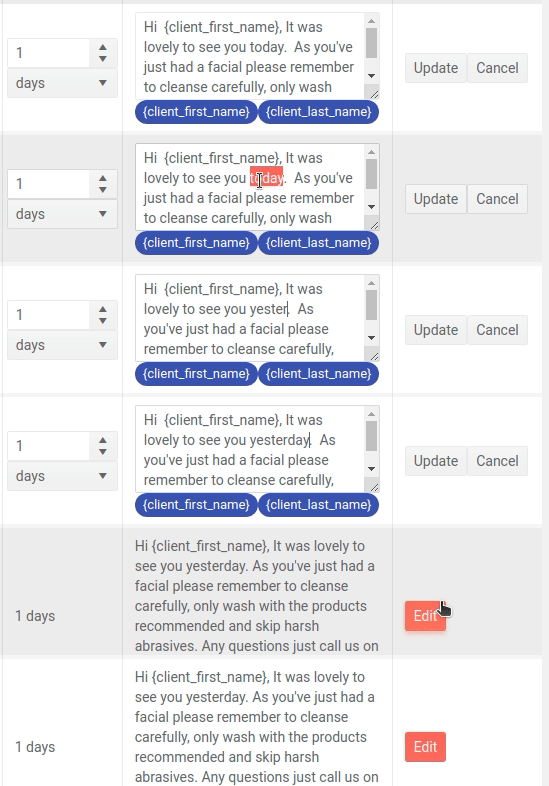
- Press the Update button
Your message will be saved as soon as the Update button is pressed. Repeat the above steps for any other after appointment message you wish to edit.
To learn more about After Appointment Messages be sure to read our After Appointment Message Overview.