On this page
article
How To Use SMS Log (Reminders)
Learn how to access and view your SMS message history using the SMS Log (Reminders) tool in Client Diary, including delivered, received, and scheduled messages, by following these simple steps in your account settings.
Client Diary allows you to quickly and easily view your previous SMS messages via the SMS log tool.
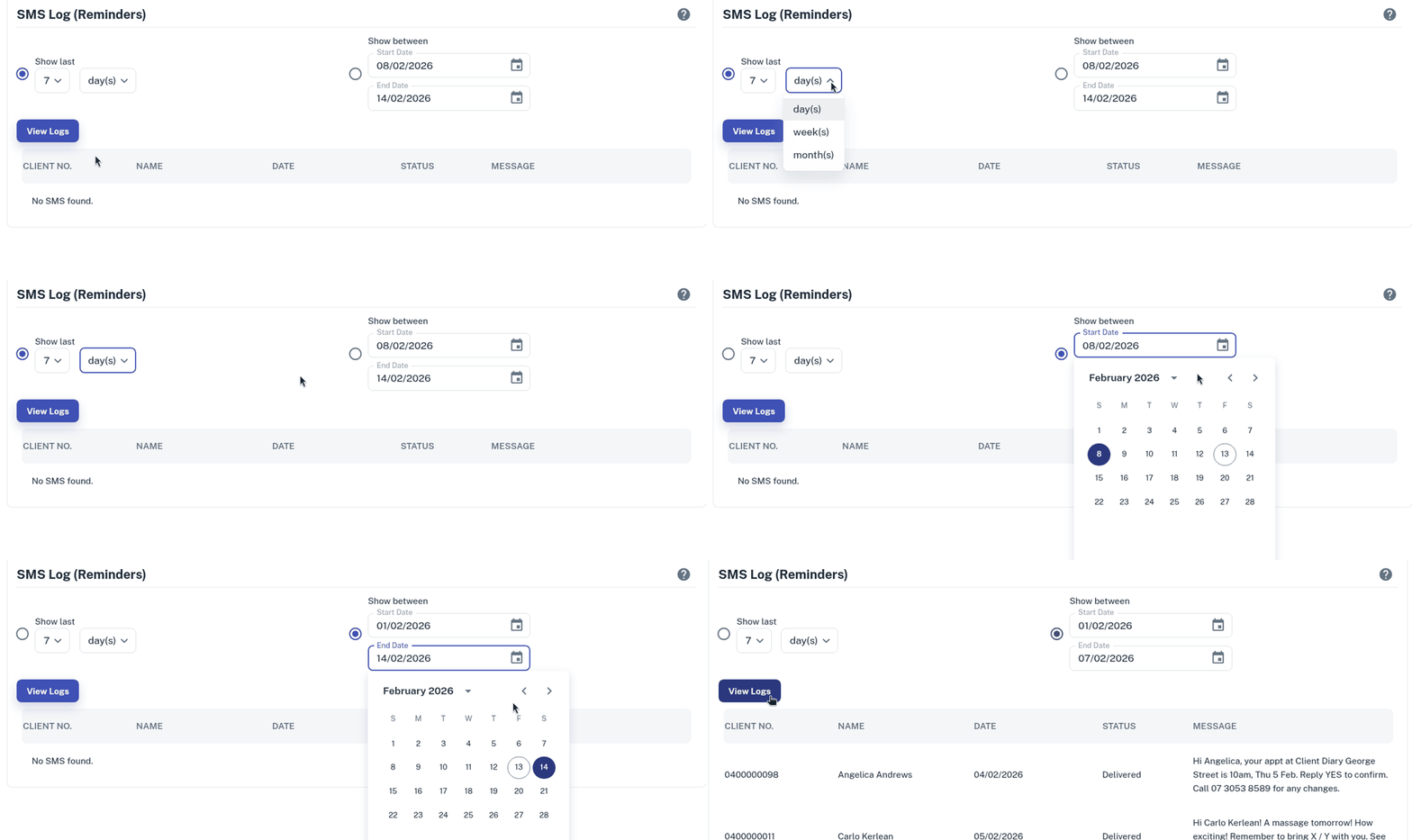
The SMS (Reminders) Log will show all delivered, received and future scheduled messages.
To view the SMS logs:
- Select the My Account menu
- Press the Marketing tab
- Click the SMS Log (Reminders) option
- Select how many days / weeks / months you wish to view into the past
- Alternatively, to select a specific date range, select both of the Show Between date selectors
- Click on View Logs button for the logs to be visible.