On this page
article
How to View Your Previous SMS Campaigns
Learn how to easily view your past SMS marketing campaigns by accessing the SMS Log in the Marketing tab of your account, allowing you to monitor your activity and track credit usage efficiently.
You may want to keep an eye on your recent SMS marketing activity. It’s very quick and easy.
To do this:
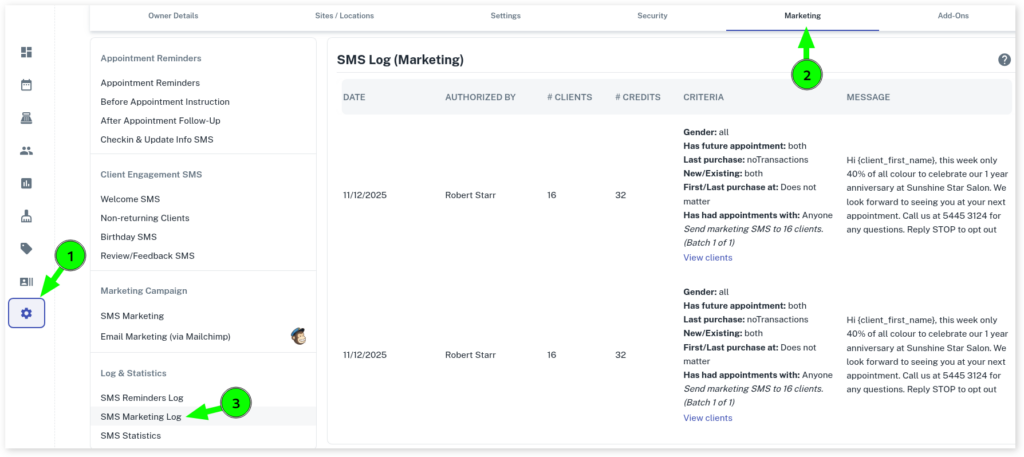
- Go to My Account
- Select the Marketing tab
- Press SMS Log (Marketing)
It will automatically show your previous marketing campaigns so you can keep track of what you send and when. This is very handy to check to see where any extra charges may come from, by seeing how many credits have been used you can compare it to any recent purchases of SMS credits.