On this page
article
How to Message all Clients in a Class
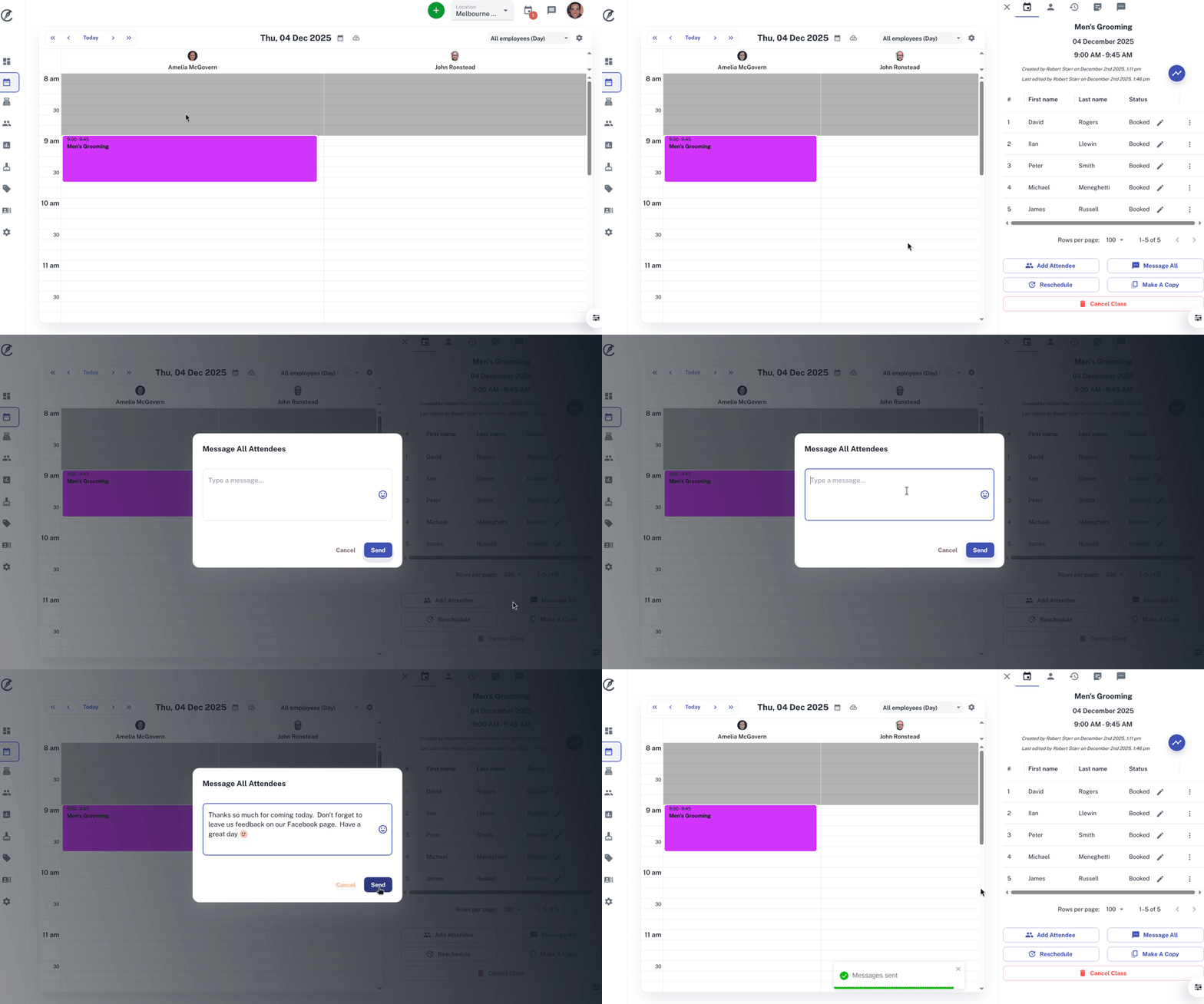
Learn how to easily message all clients in a class by selecting the class on the calendar, pressing the ‘Message All’ button, typing your message, and clicking send.
Got rained out by the weather, need clients to bring extra equipment to the class, or just messaging your clients a thank you for coming. There are plenty of reasons why you may want to message them all at once. This can be done with a few easy steps.
To do this:
- Select the Class on the Calendar
- On the slide out window you will now have your class information
- Press the Message All button
- Type your message in the pop up box
- Click Send
For further information on classes, Click Here.