On this page
article
How to Message Individual Clients in a Class
Learn how to easily send messages to individual clients in a class by selecting the class on the calendar, accessing client details, and sending an SMS through this step-by-step guide.
Want to let a certain client know to bring something specific to the class, or to send a message to ask if they are arriving late, this can be done easily.
To do this:
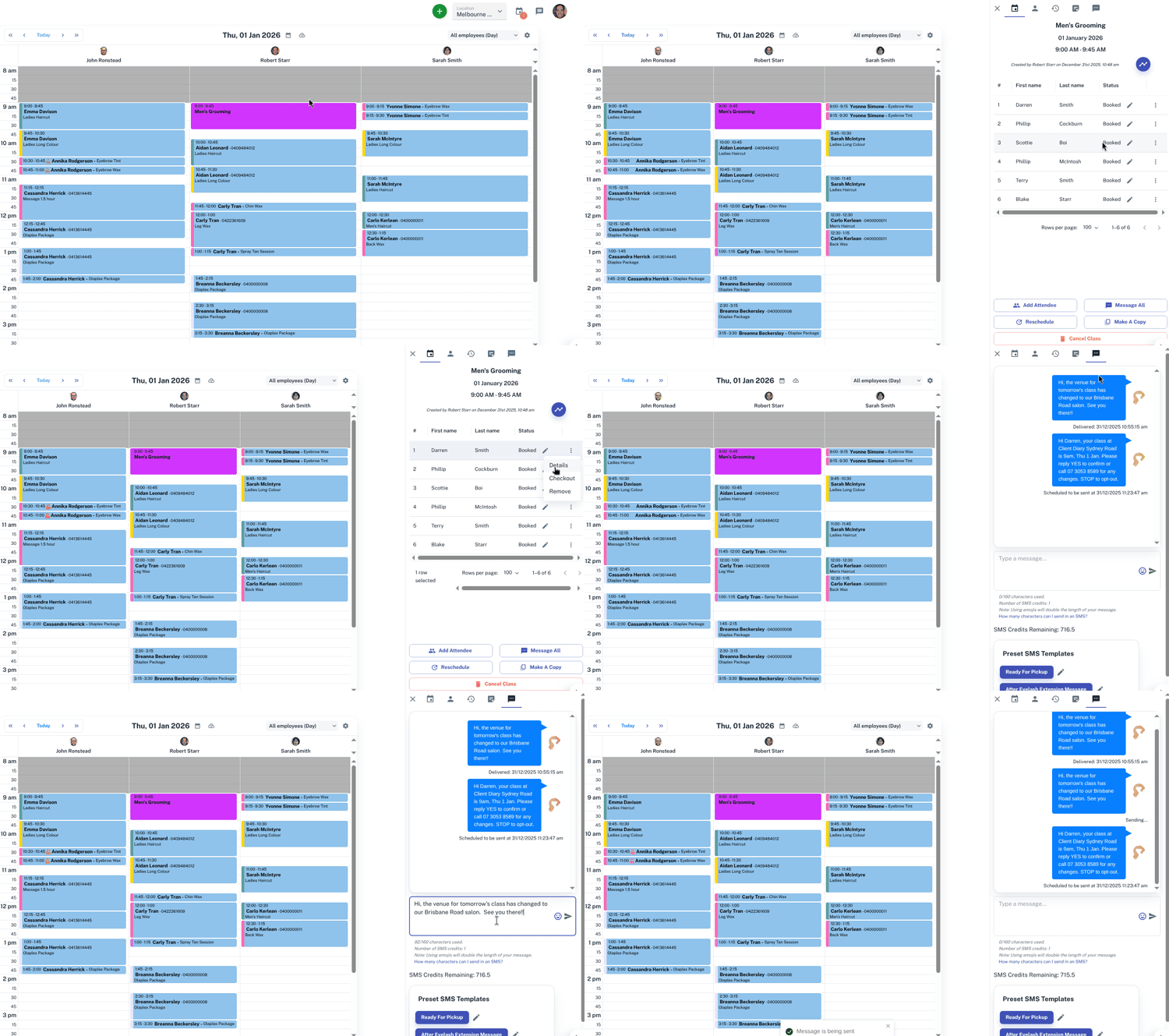
- Select the Class on the Calendar
- On the slide out window you will now have your class information
- Press the 3 dot menu
 in the row that shows the client’s name.
 - Press the Details option
- Select the SMS tab at the top
- Type your message in the box at the bottom of the page
- Click Send
For further information on classes, Click Here.