On this page
article
Mobile App – How to Block out Time
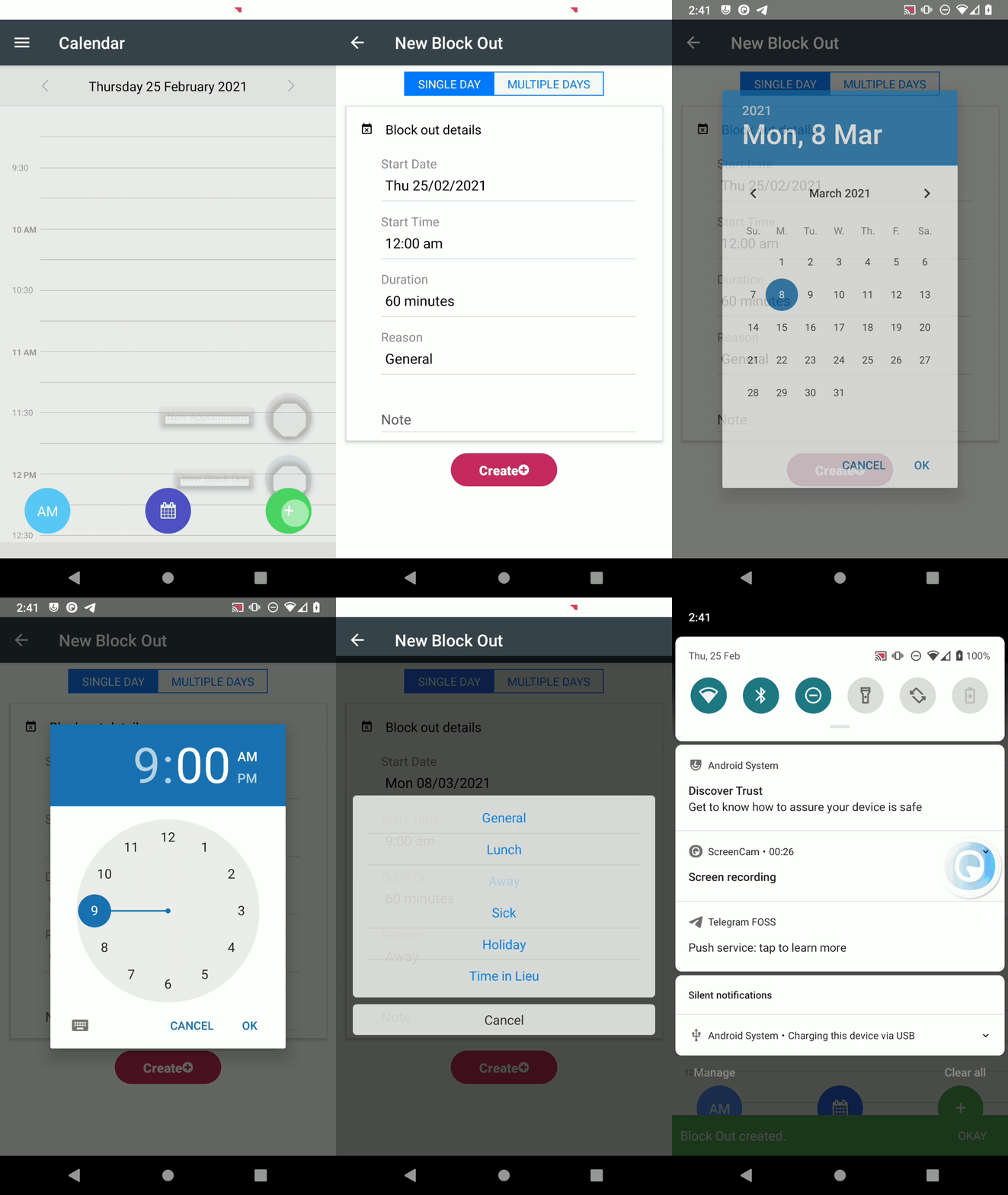
Learn how to easily block out time in Client Diary for lunch, holidays, or any other reason by following these simple steps.
If you need to block out time for say lunch, holidays, time away or any other reason it’s super easy to do in Client Diary.
- Press the + button
- Choose New Block Out
- Select the Date and Start Time
- Enter the Duration and Reason
- Add a Note if required
- Press the Create button