On this page
article
Mobile App – How to Create an Appointment
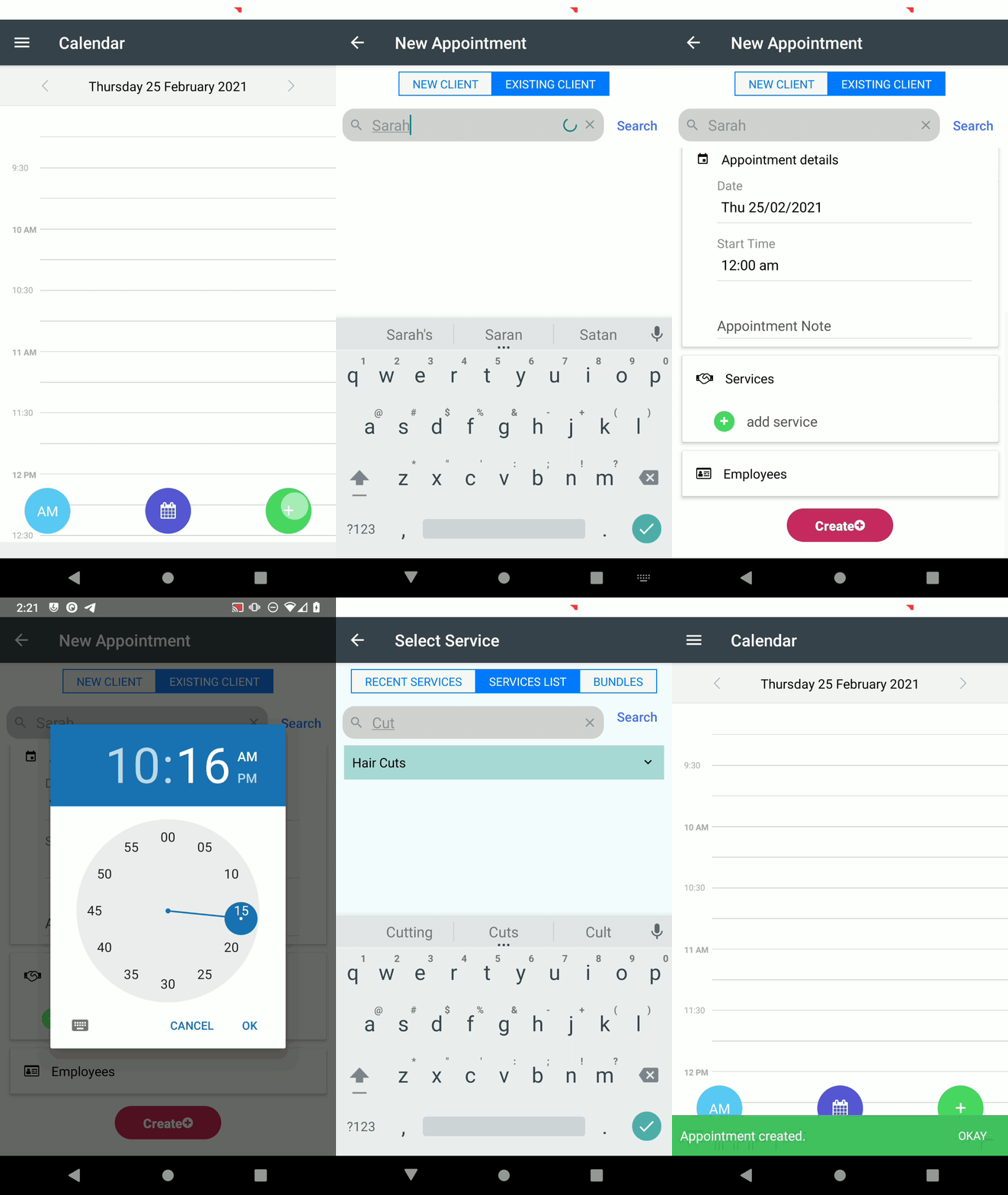
Learn how to easily create appointments on the Client Diary mobile app by following these steps: press the + button, select New Appointment, search for the client, adjust date and time, add notes and services, assign employees, and then create the appointment.
Using Client Diary on your phone means you can book appointments wherever you are. It’s super easy and familiar if you have used the desktop version of Client Diary.
To do this:
- Press the + button
- Select New Appointment
- If an existing client, enter part of the clients name, then press the Search button
- Select the Client from list
- Adjust anything you need to including Date and Time of appointment
- Add any Notes if required
- Add Services, as many as are required
- Assign which employee will perform which services if required
- Press the Create button