Using the Telegram Bot to Check Your Target
Learn how to efficiently track your progress towards personal goals using the Telegram Bot in Client Diary, with steps to set up and access the Bot commands for checking Targets.
Checking Targets can be done in many ways in Client Diary and having access to it in the Telegram Bot might just be the quickest and easiest way to stay up to date on your progress towards reaching your own personal goal.
If you have not set up the Telegram Bot yet, please read these steps before continuing.
- Enter the Telegram Bot Chat
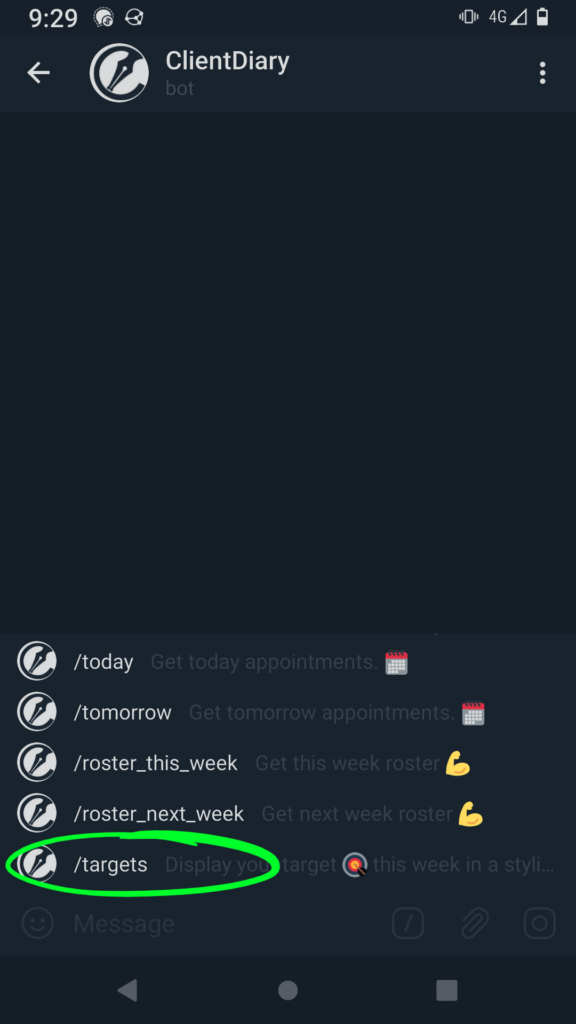
- Select the [/] icon to retrieve a list of commands for the Bot

- Select the Targets option from the list of Bot commands
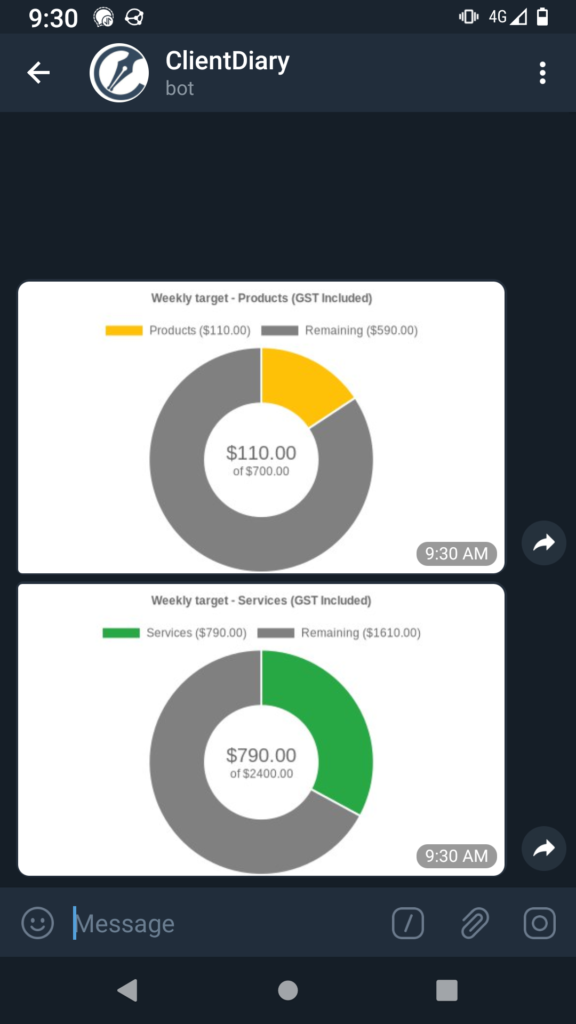
Your Target progress is then shown by the Bot. Depending on your Target settings you may either have two separate graphs (as shown below) or a single graph.
To learn more about the Telegram Bot be sure to read our Telegram Bot Overview.
To learn how to set up Targets for your team, be sure to read the Target Docs.