On this page
article
How to Add Custom Terms and Conditions to Your Online Booking Beta
Learn how to add custom terms and conditions to your online booking beta by accessing the My Account menu, selecting Add-Ons, and navigating to the Online Bookings Setup - Beta option, where you can input and save your custom conditions for clients to view at the Booking Summary.
Go to:
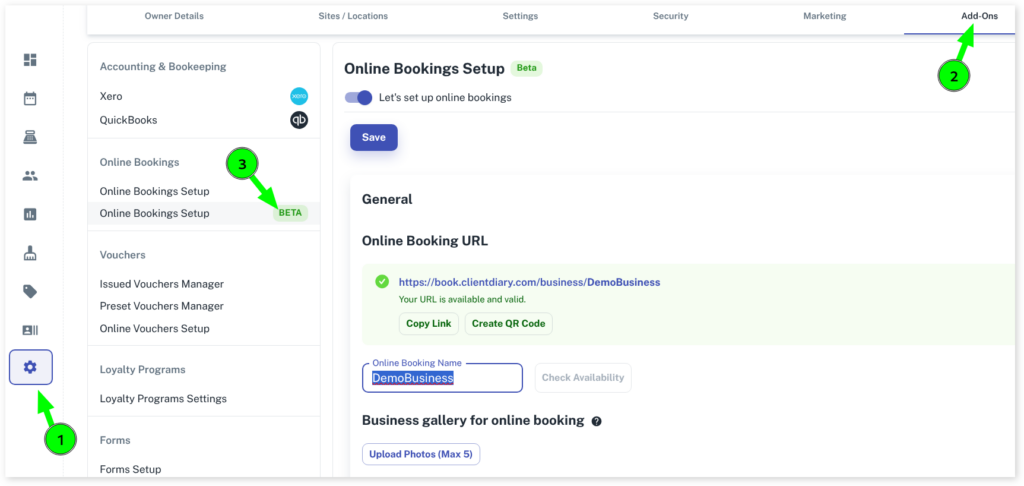
- Select the My Accountmenu
- Click on the Add-Onstab
- Press on the Online Bookings Setup – Betaoption
- Scroll down to the Others section and click on the drop-down arrow
- Under the Terms and Conditions, type or paste in your custom conditions in the blank bar
- Click on the Save button to apply changes
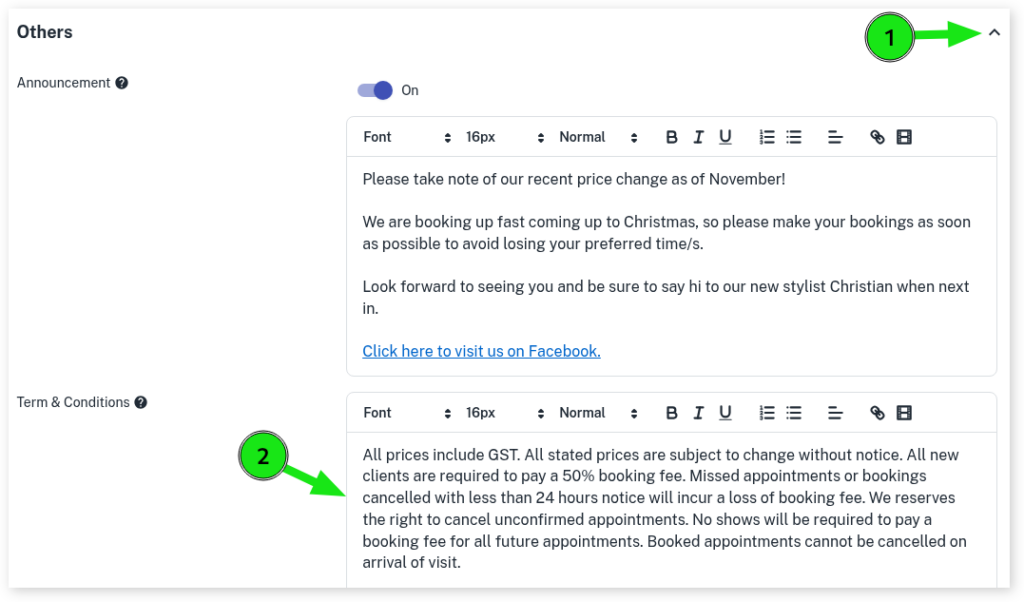
The Terms & Conditions can be viewed by your clients at the Booking Summary when booking an appointment online.