Adding a Custom Background Colour to Your Online Booking
Customize your online booking background color to match your branding by following simple steps in your account settings.
When setting up your online booking, having the background match your logo or banner makes it a more personalised experience.
To do this:
- Select the My Account menu
- Choose the Add-Ons Tab
- Click the Online Booking Setup
- Press the “Click to Pick Colour” text next to the Background Colour heading
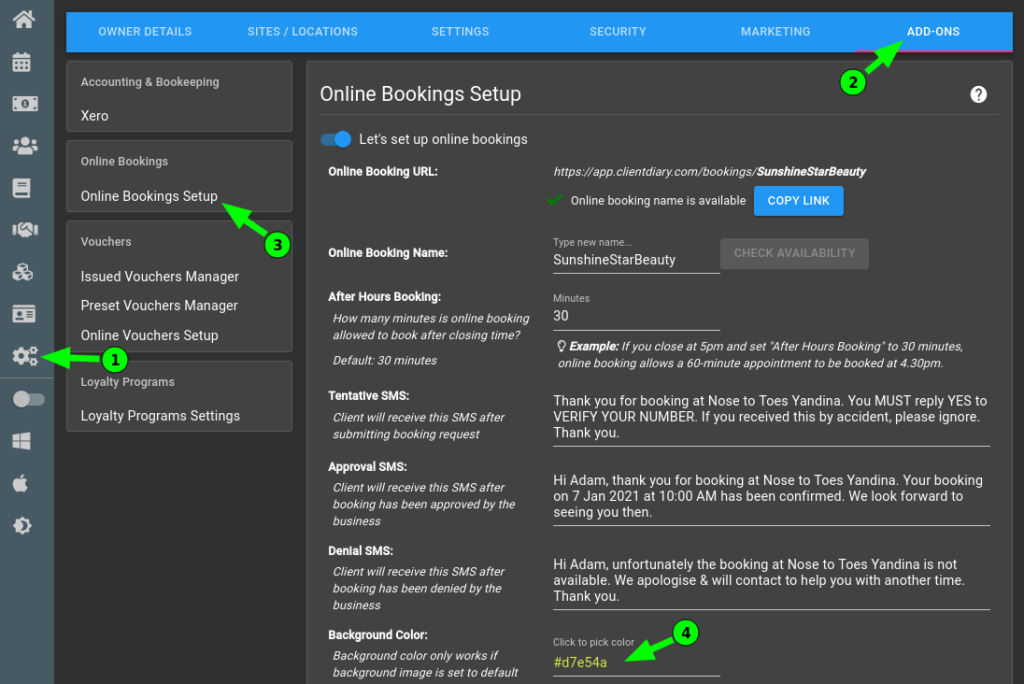
This will allow you to choose any colour you wish. Often this is used to match your business branding.
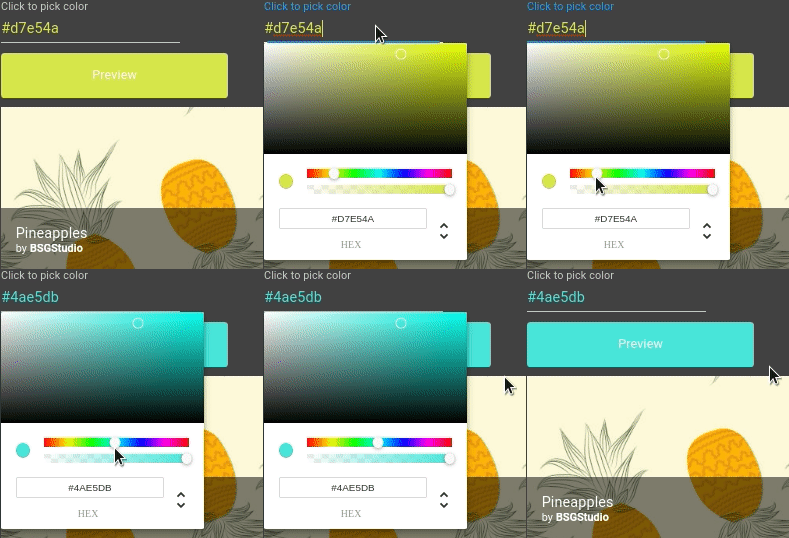
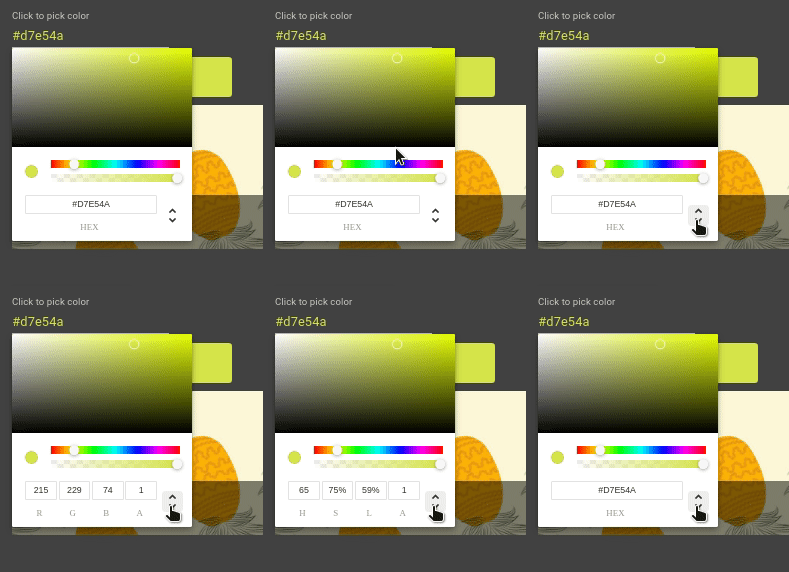
In addition to changing it via the sliders, if you know your logo or background’s exact colour as a HEX value or RGB value you are able to enter these values.
Please note. If you have a background image turned on (as per instructions here), the solid background colour will turn off.
For more info on Online Booking visit our article on the Online Booking Overview.