On this page
article
How to Change Business Name Listed In Your Online booking SMS Reminders
Learn how to change your business name in online booking SMS reminders to make it stand out from local competition by following this guide: Select My Account, go to Sites/Locations, enter Trading Name, and save changes.
Your business name is first thing potential clients will see and you will need something that stands out from local competition. If you would like to update your business name to help differentiate it from other businesses or from your own personal businesses, follow this handy guide.
To do this, go to:
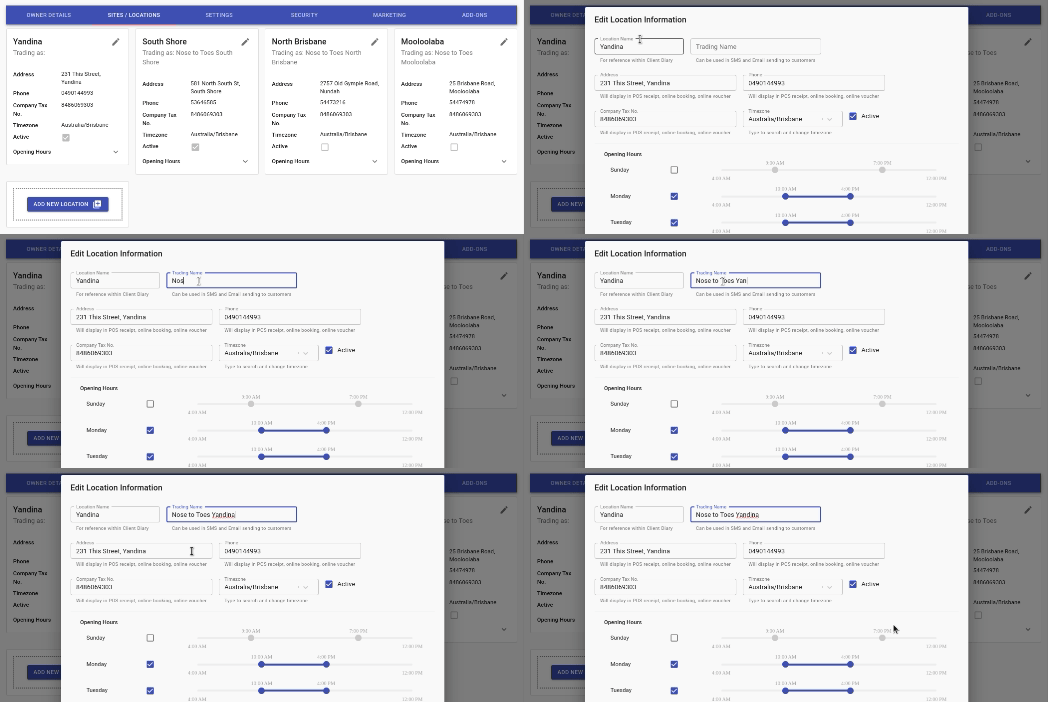
▪ Select the My Account menu
▪ Press the Sites/Locations tab
▪ Enter the Trading Name so it defines your location properly
▪ Select the Save button to apply changes