How to Toggle Email Notifications of Online Booking
Learn how to easily toggle email notifications for online bookings in Client Diary by accessing the ‘My Account’ menu, navigating to the ‘Add-Ons’ tab, and selecting the ‘Online Bookings Setup’ option, then adjusting the ‘Get email notification when new booking is made’ setting to suit your
Receiving email notifications is an easy way to keep track of your business when in or out of your shop. Client Diary emails you when an online booking is made. For some times of the year you may be too busy and don’t wish to receive these email notifications, it’s easy to turn them off. Alternatively, maybe yours have been turned off and you want to turn them back on again.
To do this:
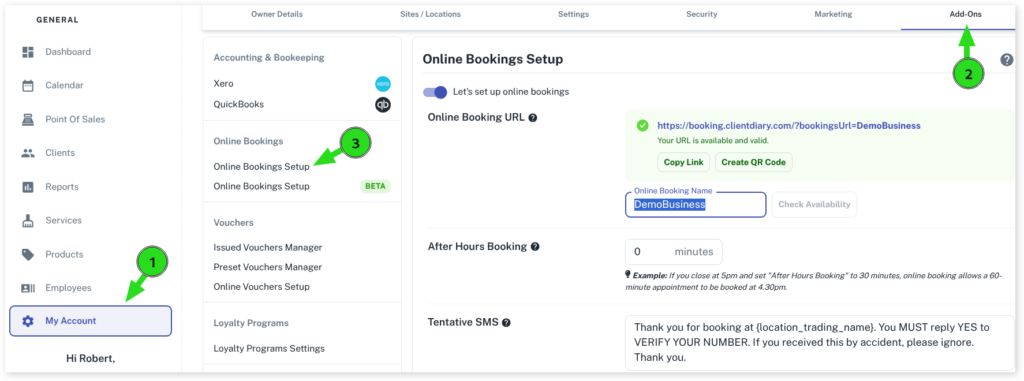
- Select the My Account menu
- Press the Add-Ons tab
- Choose the Online Bookings Setup option
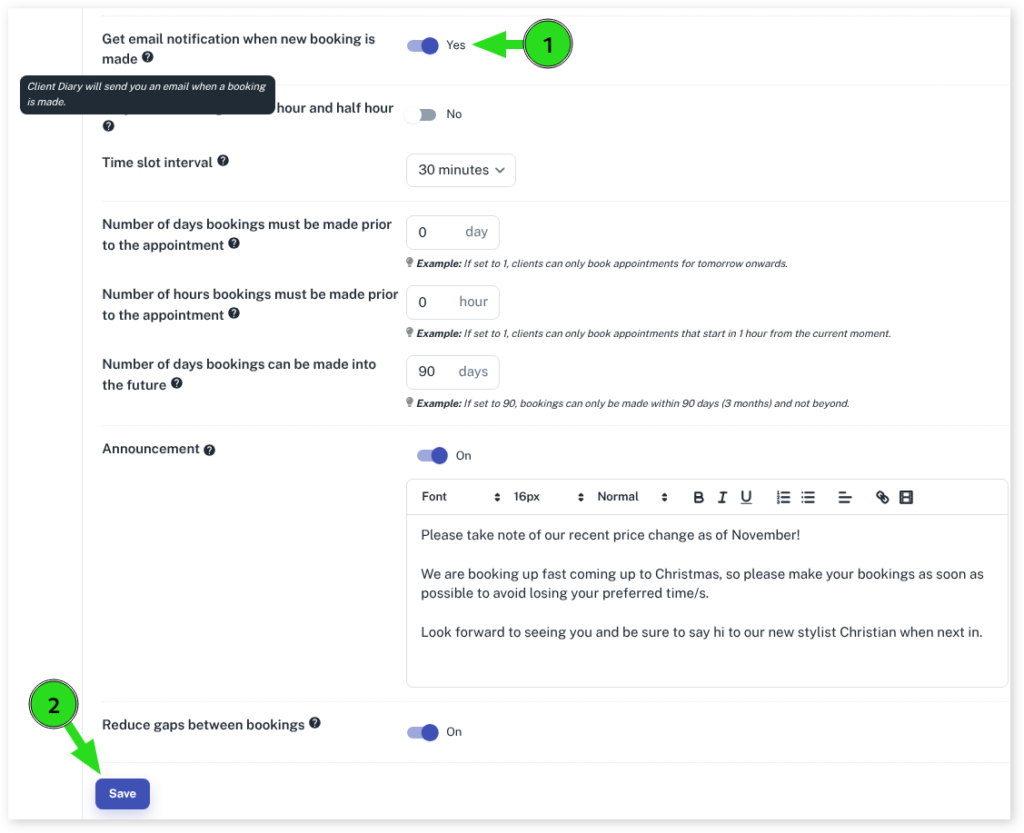
- Scroll down to Get email notification when new booking is made
- Toggle this option to Yes / No depending on your requirements
- Select the Save button to apply changes