On this page
article
How to Deactivate Payment Methods
Learn how to deactivate payment methods in Client Diary by completing a sale, accessing the payment screen, clicking the Edit button, unticking the methods to deactivate, and then saving the changes.
After adding new payment methods you may want to deactivate which payment methods are currently used.
This is how:
- Complete a sale as normal
- After pressing the End Sale button, you are taken to the payment screen
- Note: You must have permission to access this. If you don’t, you’ll need to log in with a user that does
- Press the Edit (Pencil) button
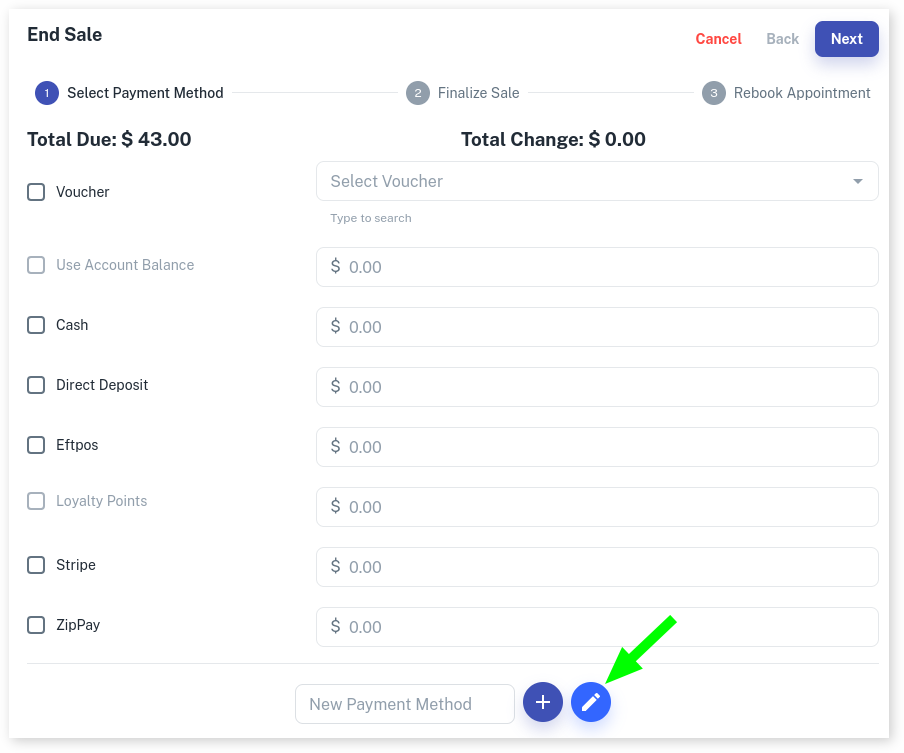
- Untick Payment Methods you would like to deactivate
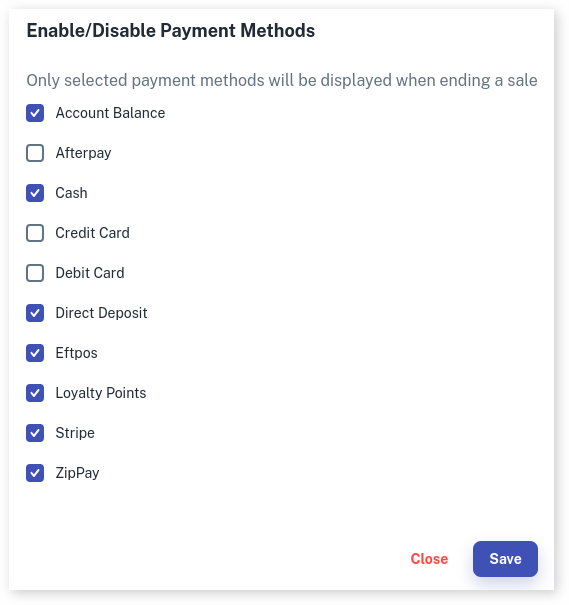
- Press Save to save changes
**Note:**Only the owner of the business will be able to make these changes in Client Diary, please make sure the account your trying to use has the appropriate security settings. For more information on Security Settings, Click Here.