On this page
article
How to Enable / Disable Discount Reasons
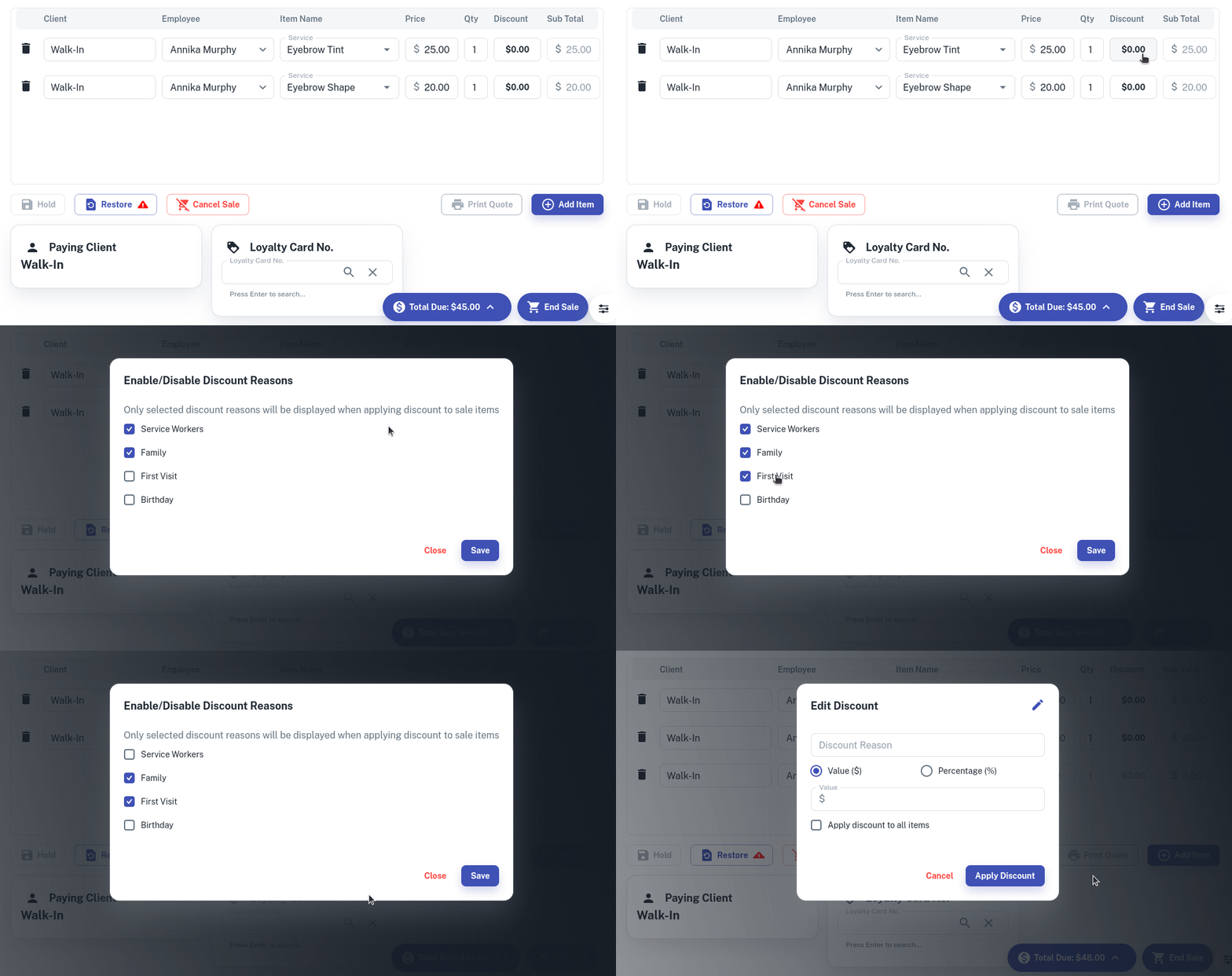
Learn how to enable or disable discount reasons by following these simple steps within a transaction.
When adding in new Discount Reasons you may need to remove old reasons that you no longer use.
To do this:
- Start a Transaction as normal.
- Select the Discount box for a Service or Product
- In the discount window press the Edit (pencil) button
- Tick or untick any discount options to enable or disable
- Press Save