On this page
article
How to Change the Paying Client in the POS
Learn how to change the paying client in the Point of Sale (POS) system by selecting the client name or inputting a new one, completing necessary details, and ending the sale.
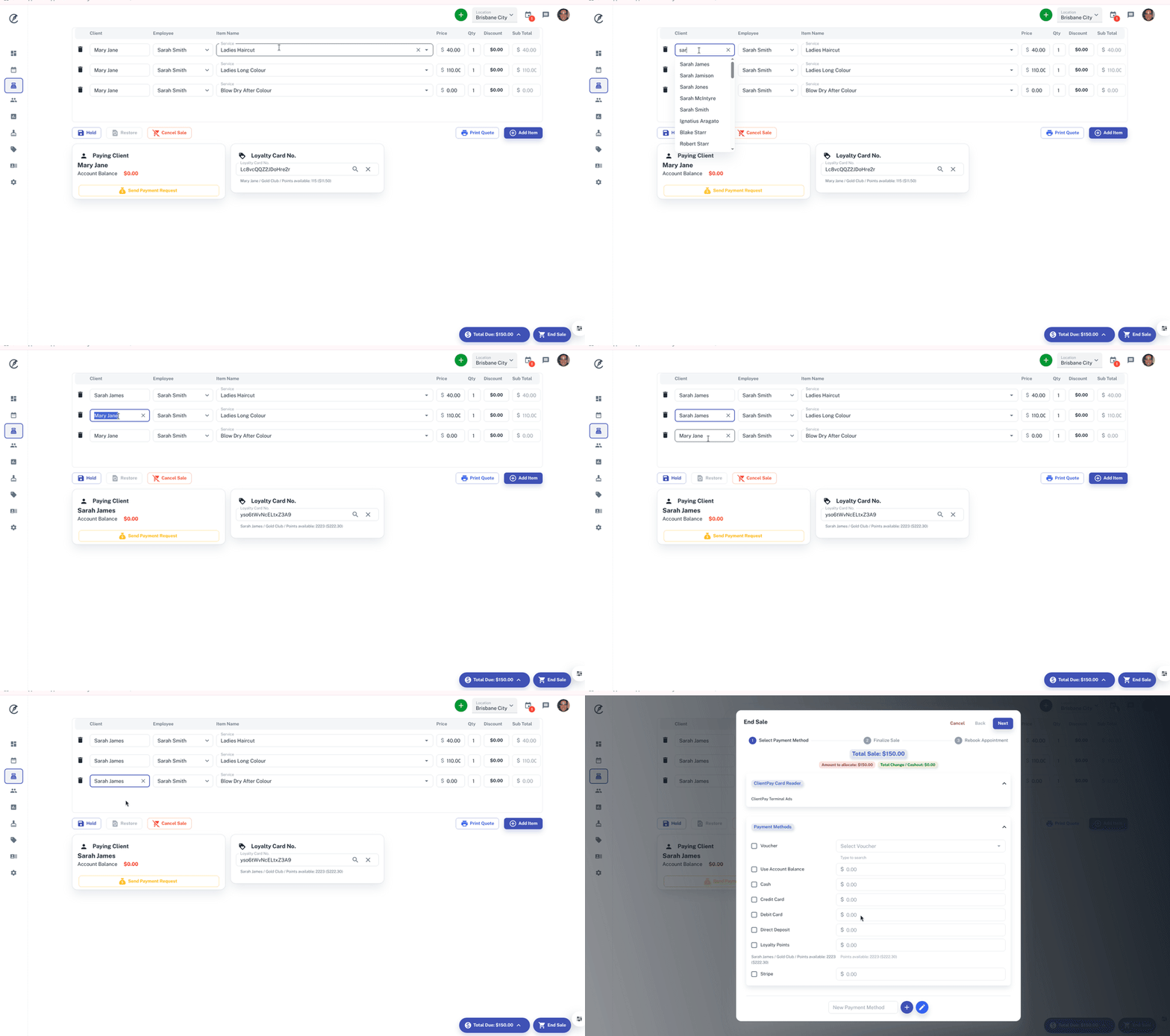
When taking an appointment or a walk in customer to the POS, there may be a time you need to change the paying client in the POS.
To do this:
- When in Point Of Sale
- Select Client nameor Walk in
- Type in new Client name and hit the search icon
- Complete any other details as needed
- End the sale
For other queries on how to checkout a transaction in POS Click Here.