On this page
article
How to Take a Class to the Point of Sale
Learn how to smoothly transition a class booking to a sale by selecting the class on the calendar and using the checkout option in this quick guide.
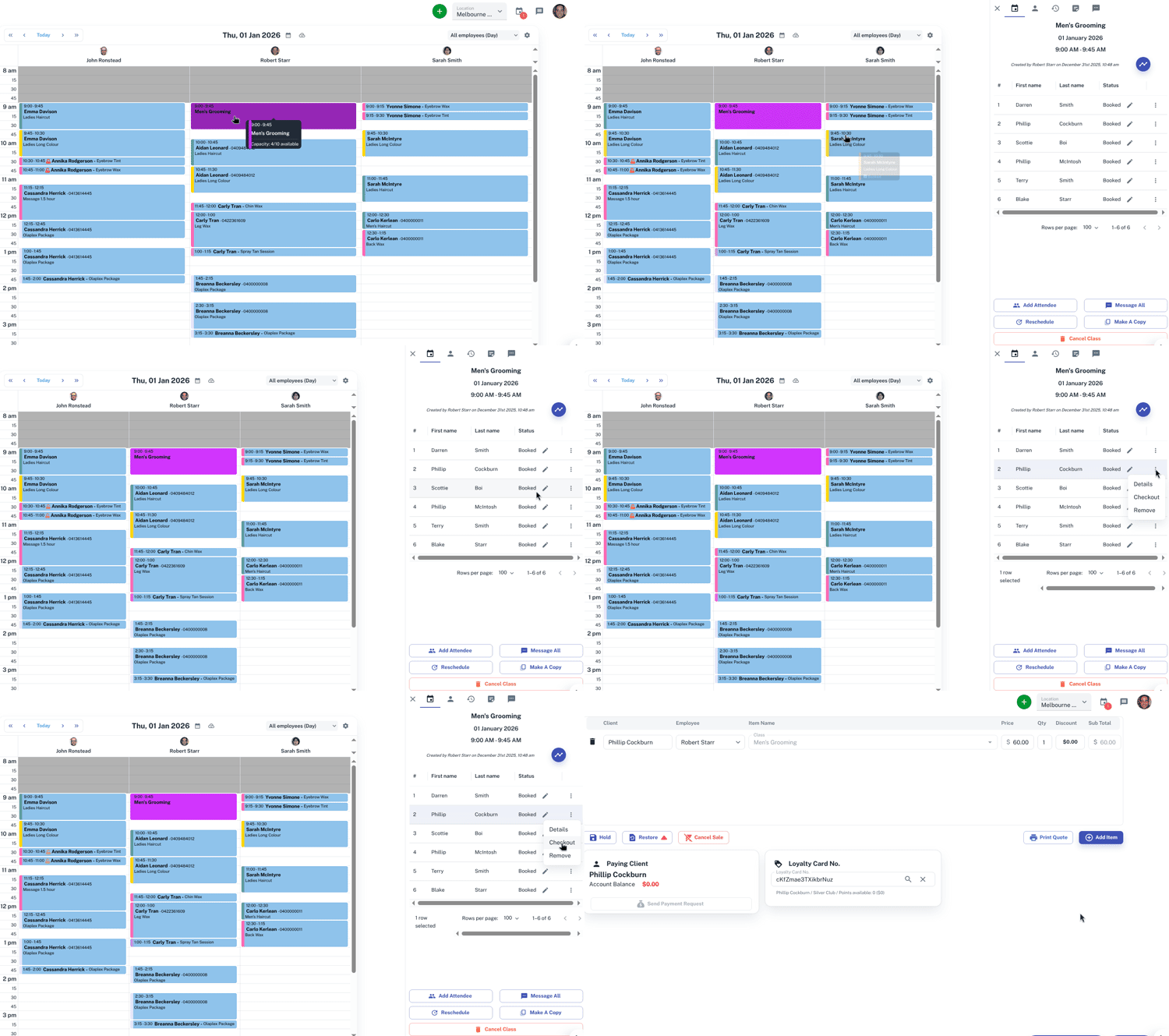
Either when the class starts or when the class is completed, getting payment from the client will be required. Taking the client from the Class on the Calendar to the Point of Sale is easy and quick to do.
To do this:
- In the Calendar, select the Class
- On the slide out screen, in the row the Client is in, press the Three dot menu

- Click on Checkout
This will take you to the Point of Sale screen, where you can process the sale.
For further information on classes, Click Here.