On this page
article
How to Take a Customer to POS
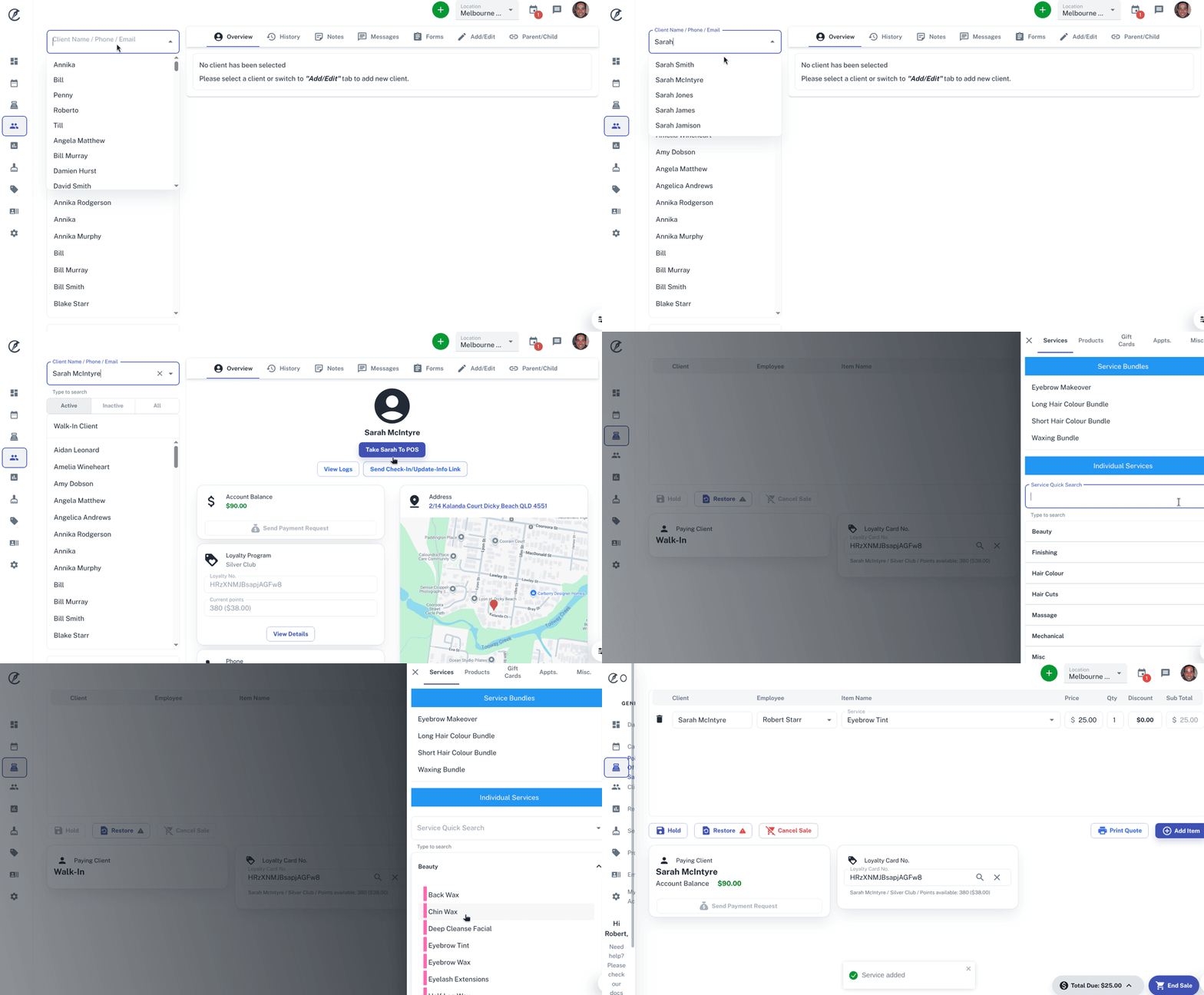
Learn how to efficiently guide a customer to the point of sale in your business by following these steps: select the client, navigate to the client overview, click ‘Take To POS,’ add services, provide necessary details, and complete the sale.
Running a business takes a lot of time and saving any time is a great thing. The ability to take a client straight to the point of sale and when at the point of sale they will be automatically selected.
To do this:
- Select the Clients menu
- Search the Client
- In Client **Overview,**press the Take To POSbutton.
- Add your Service
- Complete other details as needed.
- End sale