On this page
article
How To Resend or Download and View Past Order Histories
Learn how to resend or view past order histories for your stock orders using the Products menu, Stock Tools tab, and Place Order option, allowing you to confirm past orders and resend them to your supplier if needed.
You may want to check previous stock orders to make sure you have ordered enough for the coming week, or if something was missing from an order to confirm that it had been placed. You may also need to resend the order to your supplier.
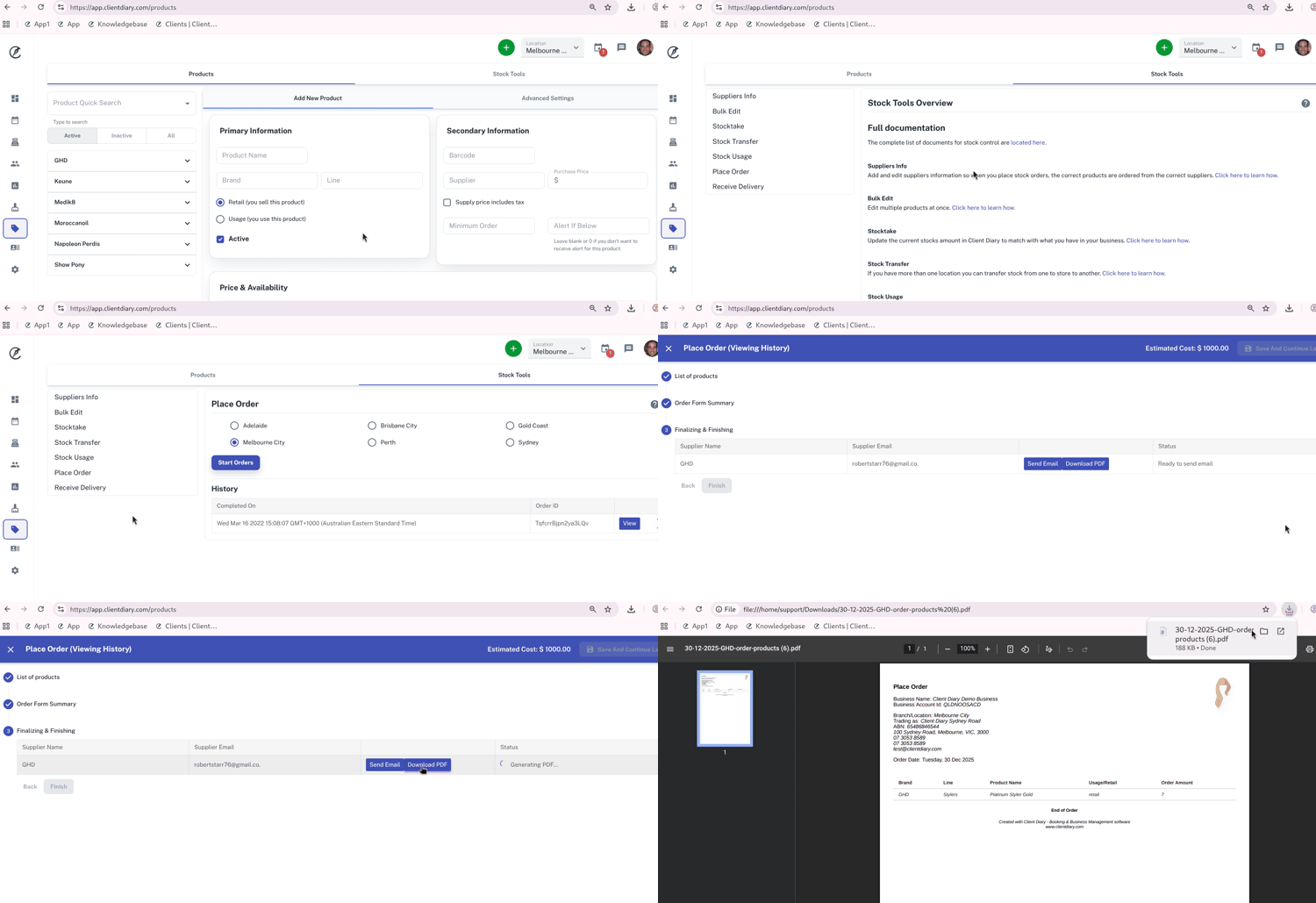
To view past orders:
- Select the Products menu
- Click on the Stock Tools tab
- Press the Place Order option
- Under the Historyheading, select the View button to view previous orders
- From here you can resend the order to your supplier by selecting the Send Email
- By selecting Download PDF a file will be generated that you can print off