On this page
article
Clients Loyalty Points Report
Easily track and manage client loyalty points by accessing the Clients Loyalty Points Report in the Reports menu, allowing you to identify top point collectors and inactive users.
This report is an easy way to view all your client’s Loyalty Points to see who not only has collected the most points but who also is not using their points.
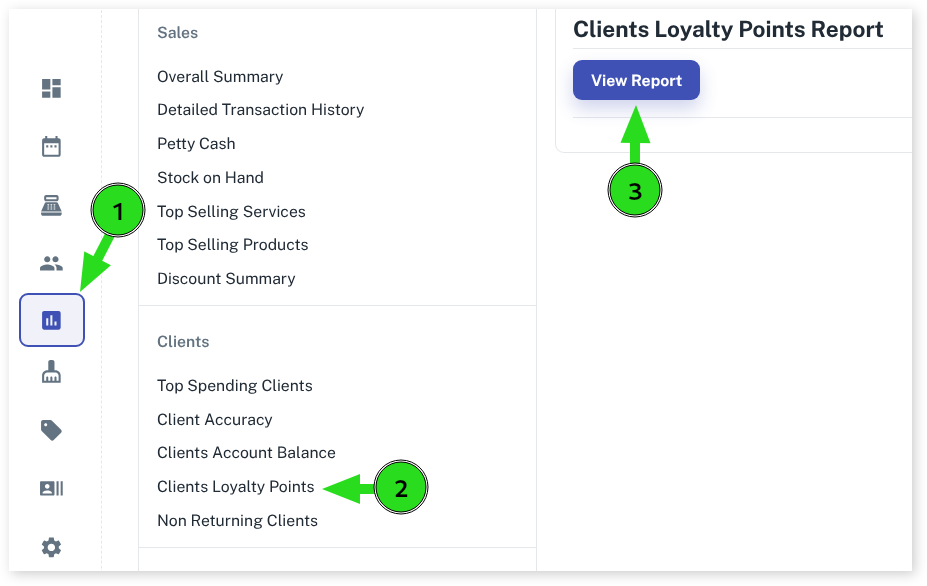
To view the Report:
- Select the Reports menu
- Choose Clients Loyalty Points
- Press View Report
- Optional: Click on Download Report to download report