On this page
article
How to Use Top Spending Client Report
Learn how to use the Top Spending Client Report to identify high-spending clients and reward loyalty or target promotions, accessed by selecting ‘Reports’ and then ‘Top Selling Clients,’ with options to choose date ranges quickly or manually.
This report is used for a specific purpose of seeing which of your clients is spending the most within a time frame. This information could then be used to reward your clients for their loyalty or to help promote to clients who have spent the least.
To access the report:
-
Select the Reports in menu
-
Select Top Selling Clients

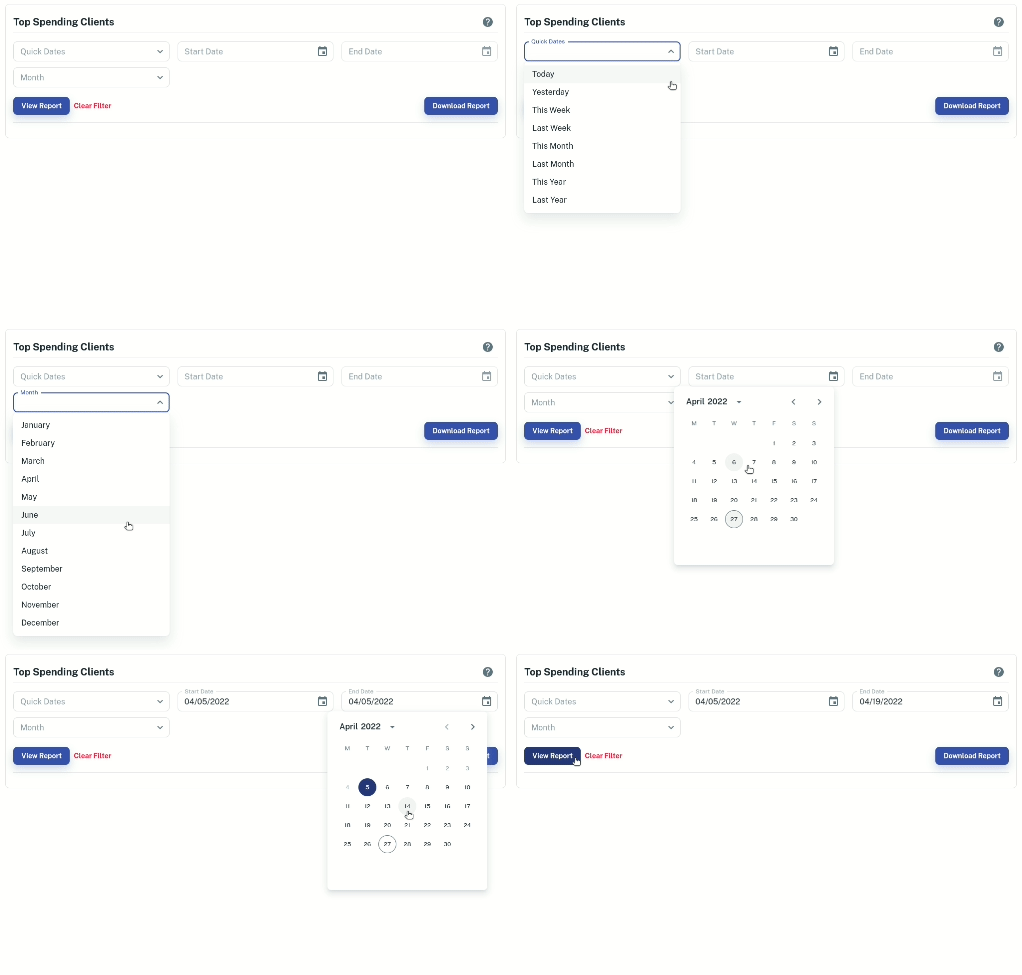
How to Select A Date Range In The Report
To do this go to either:
- Quick Date: option to let you select a quick date in the drop down menu
- **Month:**option to let you select a whole month
- **Start Date / End Date:**option to manually select what date range you want to be viewed in the report