On this page
article
How to Export Transaction Data
Learn how to export transaction data from Client Diary into a spreadsheet file for easy analysis and sharing with your bookkeeper or accountant by following these simple steps.
Client Diary can easily export your transaction data into a spreadsheet file. This allows you to analyse the sales data any way you wish giving you complete freedom over how you view your data and allows your book keeper / accountant to analyse your sales data in any way they see fit.

How to Generate Export Tools Spreadsheet
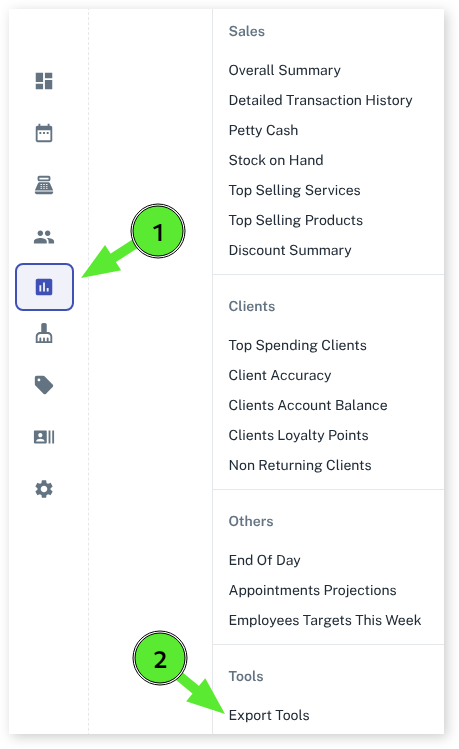
- Select the Reports menu
- Click on the Export Tools option
- Choose the date range you want to be exported into the spreadsheet
- Press the Export Data button
How to View the Generated Spreadsheet
The file will be saved in your Downloads folder on your computer.
NOTE: You will need a spreadsheet application such as LibreOffice, Google Sheets or Microsoft Excel to view the file.