Dashboard Security
Limit what your employees can view on the dashboard by adjusting Security Groups under My Account > Security, to control visibility of targets, booking rates, and cancellation rates.
The dashboard is a great way to see at a glace what is happening in your business, though you may want to limit what your employees can see.
This can be done by:
- Selecting the My Account menu
- Click on the Security tab
- Press Employee Security Groups
- Select which Group you would like to change
- Edit the options available
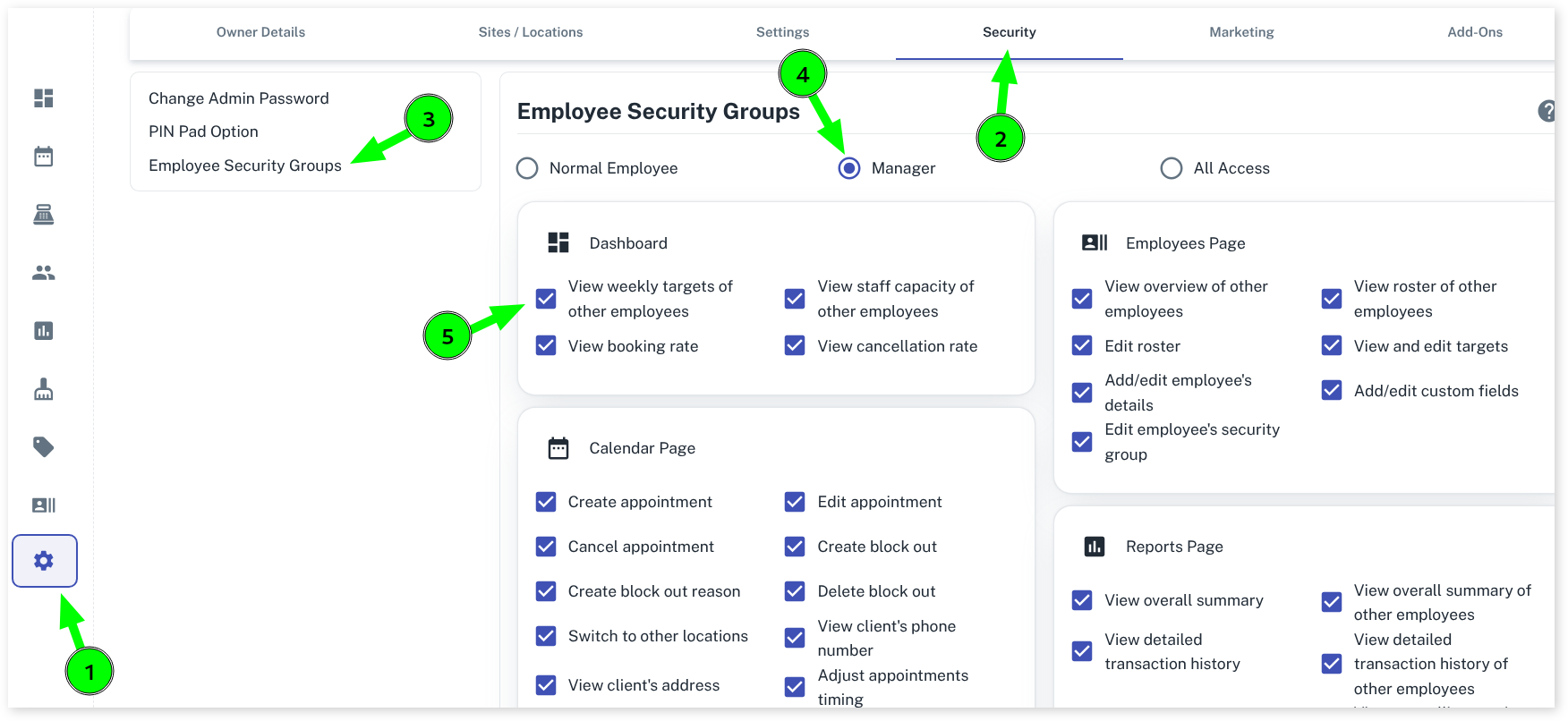
These steps assume you have set up Security Groups, if not have a look at this.
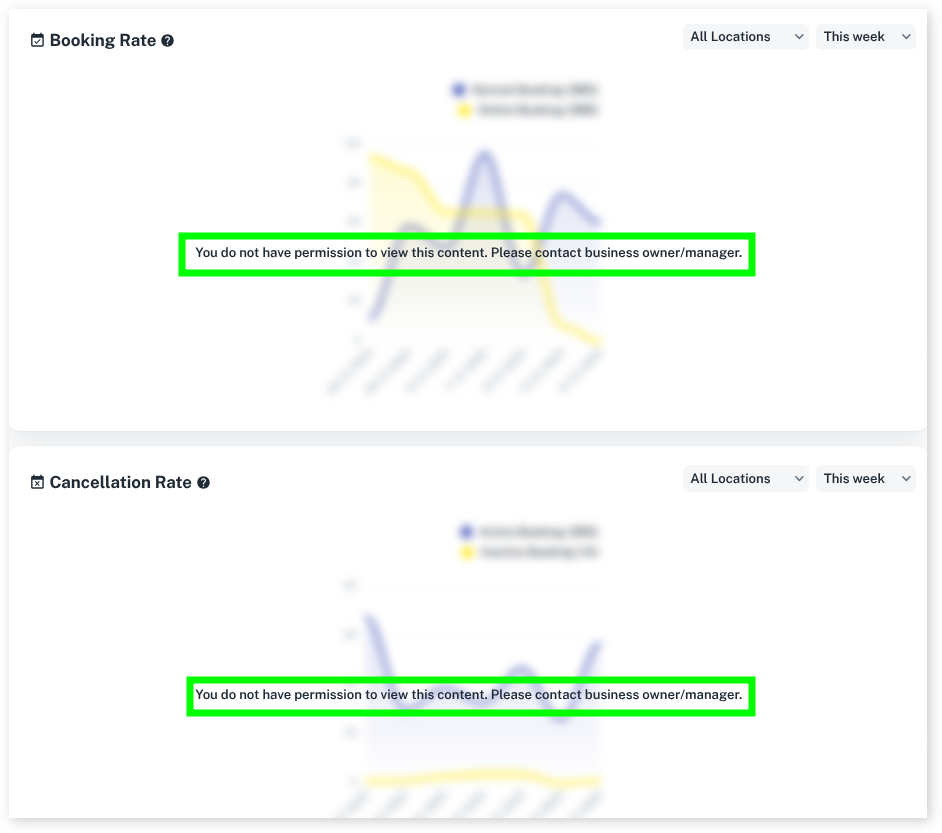
By now toggling the options in the Security Groups, you are able to blur out what is viewable when different team members log in.
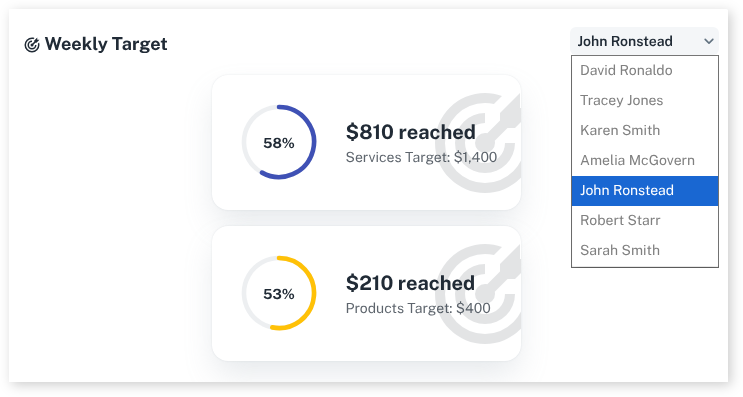
Toggling the Weekly Target will make it unavailable for the team member to view other staff’s Targets.
Toggling the Booking Rate and Cancellation rate will now make the graphs unable to be read.
For more information on the Dashboard items, please see our Dashboard Overview.