On this page
article
How to Change Your Admin Password
Learn how to change your admin password for enhanced security by following simple steps in your account settings, ensuring only authorized individuals can access your account.
It’s important to change your password from time to time to ensure only the correct people can access your account.
To change your password:
- Select the My Account menu
- Press the Security tab
- Click on Change Admin Password
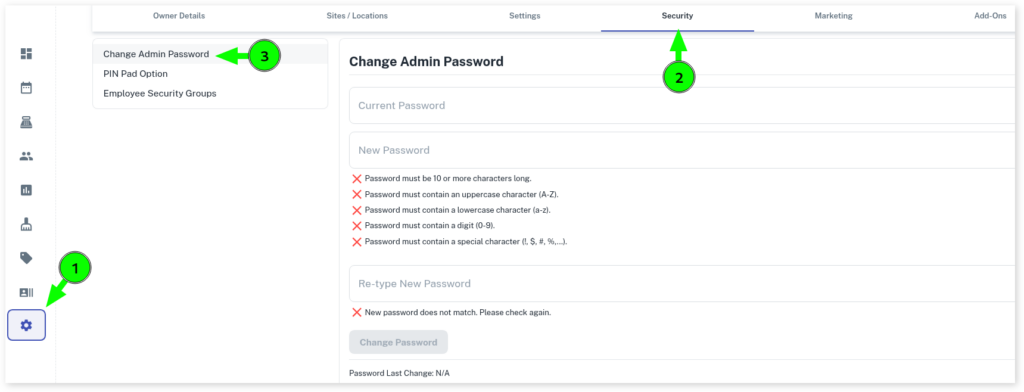
Now you can change the password to a new one by doing the following:
- Enter your existing password in the top input
- Enter your new password, twice into the following inputs
- Press the Change Password button
IMPORTANT: When you do this, anyone using the system will now need to login with this new password. Your old password will no longer work.