On this page
article
How to Create / Edit a Class
Learn how to efficiently create or edit classes for your business, track client attendance, and manage class details such as name, price, capacity, duration, color, and online booking options.
Making a class for your gym, yoga studio or any business, is quick and easy to do. Adding a class lets you keep a record of clients who attend and a method of tracking how successful it was.
Where to Add the Class
To add a Class:
- Select the Services menu
- Press the Classes tab
- Choose which Location this class will be for
- Click the large plus icon
 to add a class

How to Add a Class
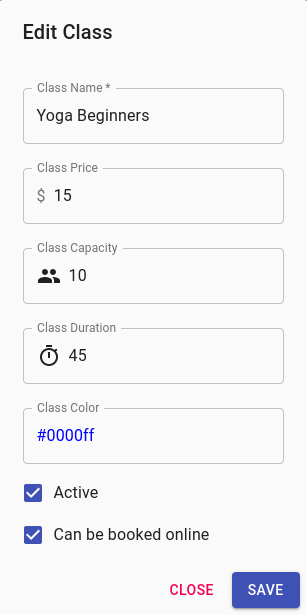
- Name – This will be the name that is visible on the Calendar, while also being the name that clients see if they are able to book the Class online
- Price – The individual price that each person will pay to attend the Class
- Capacity – The maximum capacity that may attend the Class
- Duration – How long the Class will go
- Colour – You have to option to edit the colour of the Class on the calendar. This will help make it standout from other appointments, or at a quick glance see which Classes you have that day
- Booked Online – If you would like the option for clients to book the Class online
For further information on classes, Click Here.