On this page
article
How to Update Service Categories
Learn how to easily update service categories in Client Diary by selecting and editing services with new category names through simple steps.
Sometimes when creating Services or long after the Service has been created, you may like to re-arrange categories or even to rename a category for online booking services. Client Diary is very user friendly and can help complete this take with ease and perfection.
This is how:
- Select the Services menu
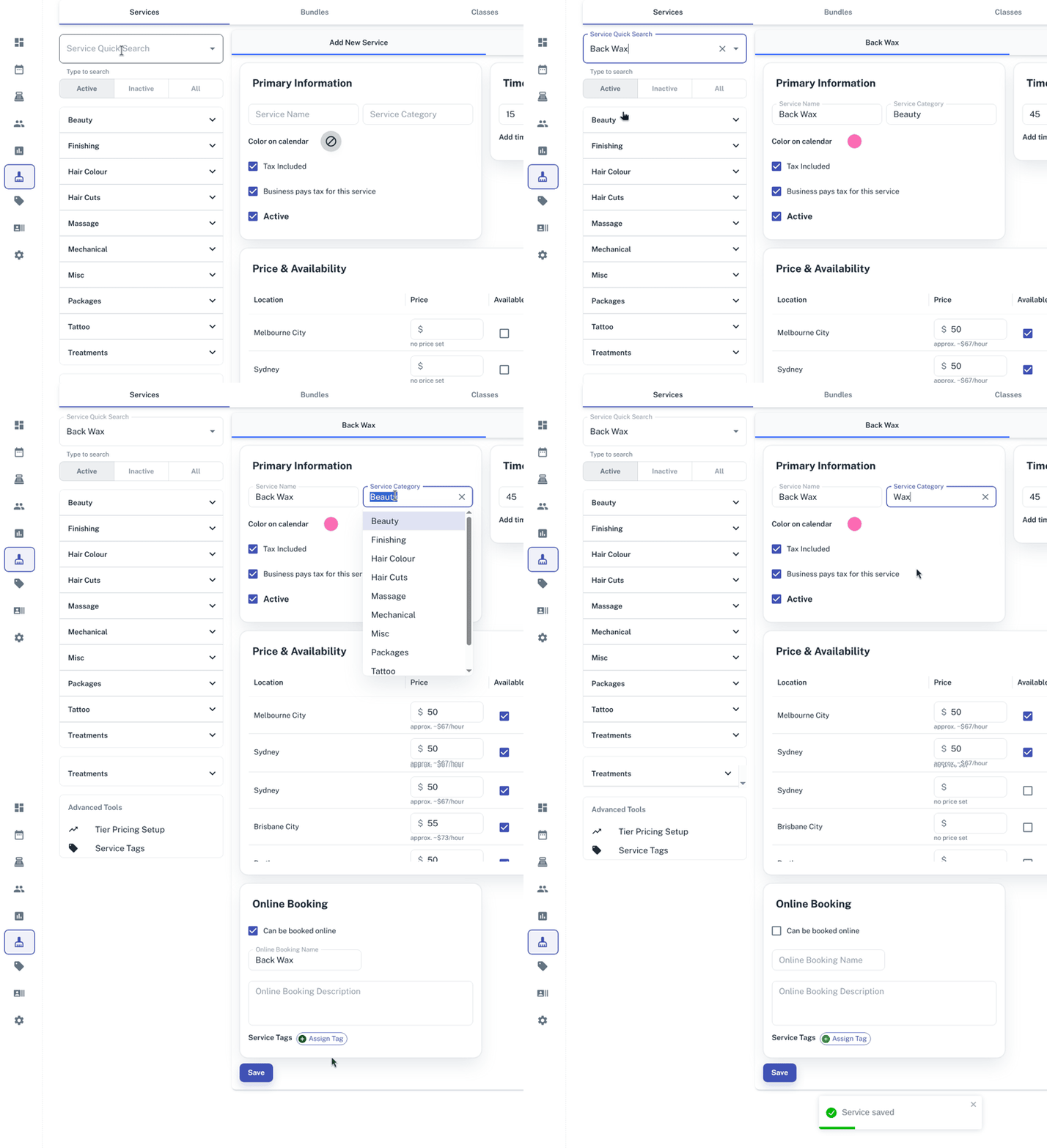
- Search the first Service you would like to update
- In the Service Category, change this to this new name
- Press Save
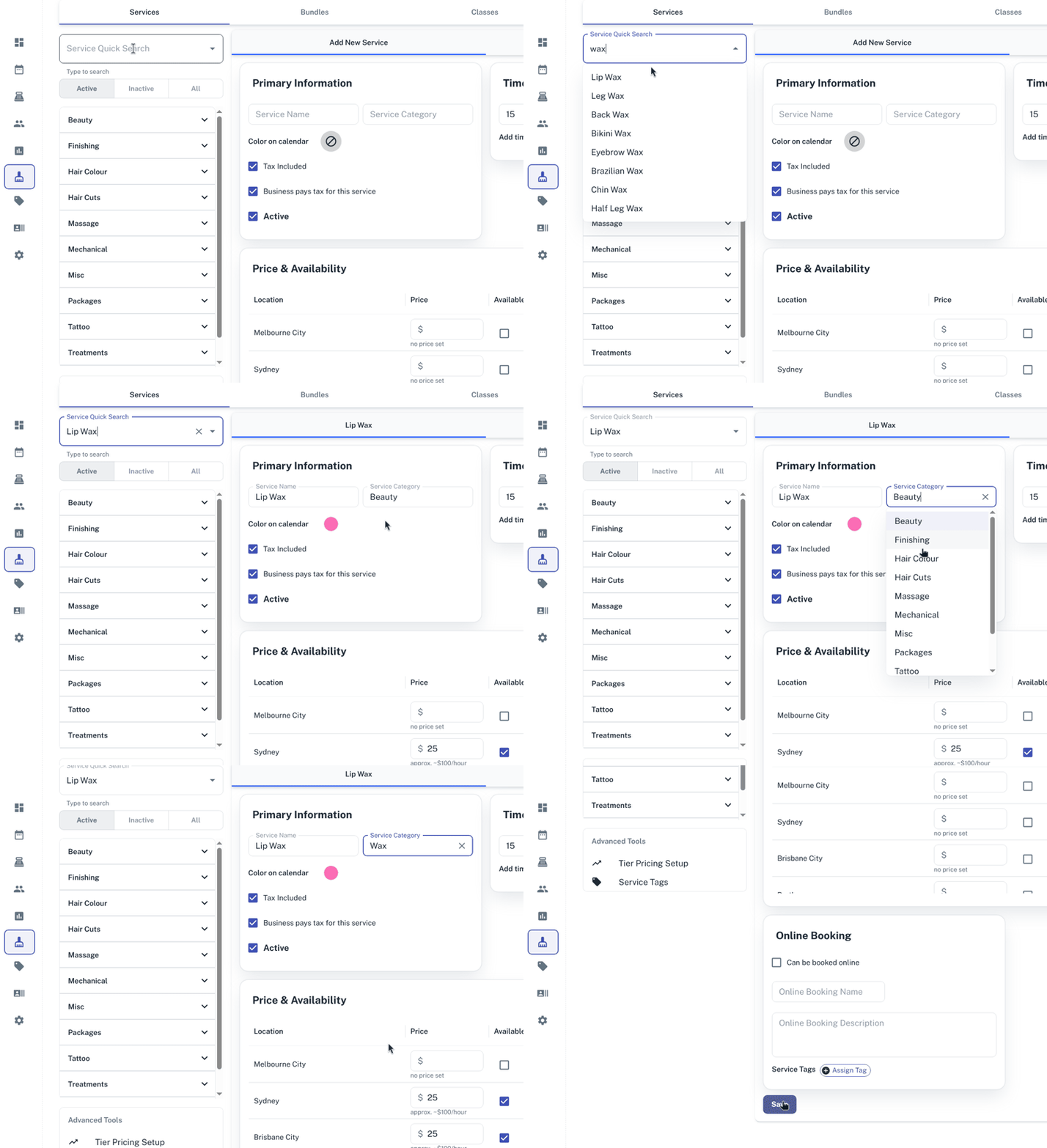
- Search the second Service you would like to update
- At the Service Category there is now a drop down option for the Category you just saved
- Select the newly saved Category
- Press Save
- Follow steps for all Services you would like to change
- Remember to press Save after editing each Service.
For more information on Editing and Adding Services please press here.