On this page
article
Service Resources – Setting up
Learn how to set up Service Resources for tracking limited business resources and preventing crossover by selecting Services, Resources, choosing a Site/Location, adding a new resource with a name and quantity, assigning services, and saving, with further details in the Service Resources Overview.
Service Resources allow to keep track of limited resources in your business and limit crossover of them being needed.
To get set up with Service Resources:
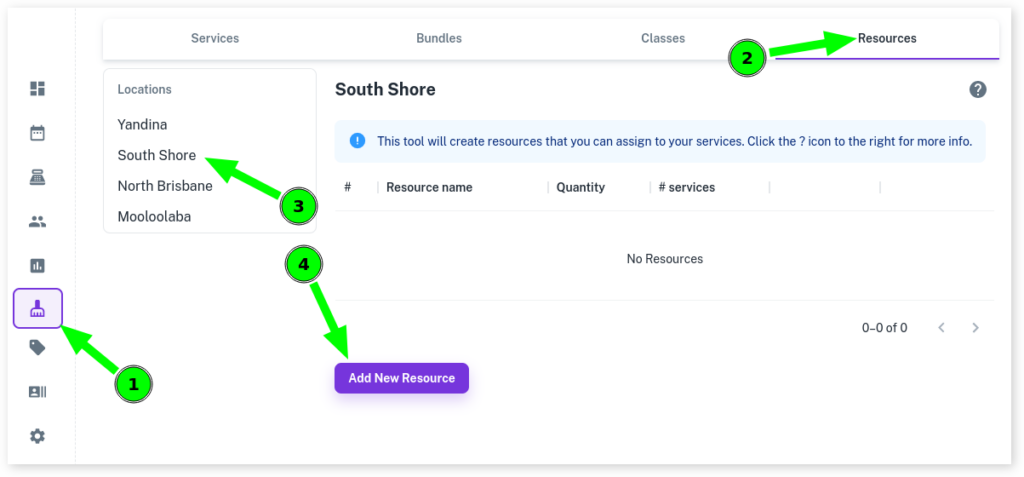
- Select the Services menu
- Click on the Resources tab
- Choose your Site/Location
- Press Add New Resource
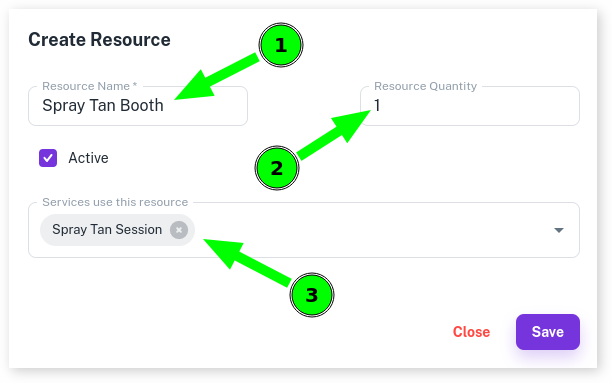
- Give your Service Resource a Name
- Into Resource Quantity, enter in how many of a resource you have
- From the drop down menu select All Services that use this service
- Press Save
For more info on Bundles, be sure to read the Service Resources Overview.