On this page
article
How to Add/Edit Timezones and Why They are Required in Client Diary
Learn how to add or edit timezones in Client Diary to ensure appointments are correctly displayed in your Calendar and SMS Reminders are sent at the right time by following these steps in the My Account menu under the Sites/Locations tab.
Timezones are required to be applied to your Client Diary so the appointments you have booked for clients appear in your Calendar at the right time and your SMS Reminders get sent to clients at the right time.
You can use Client Diary anywhere in the world, as long as the timezone is the same as your timezone that is applied to the business.
How Add/Edit Timezones
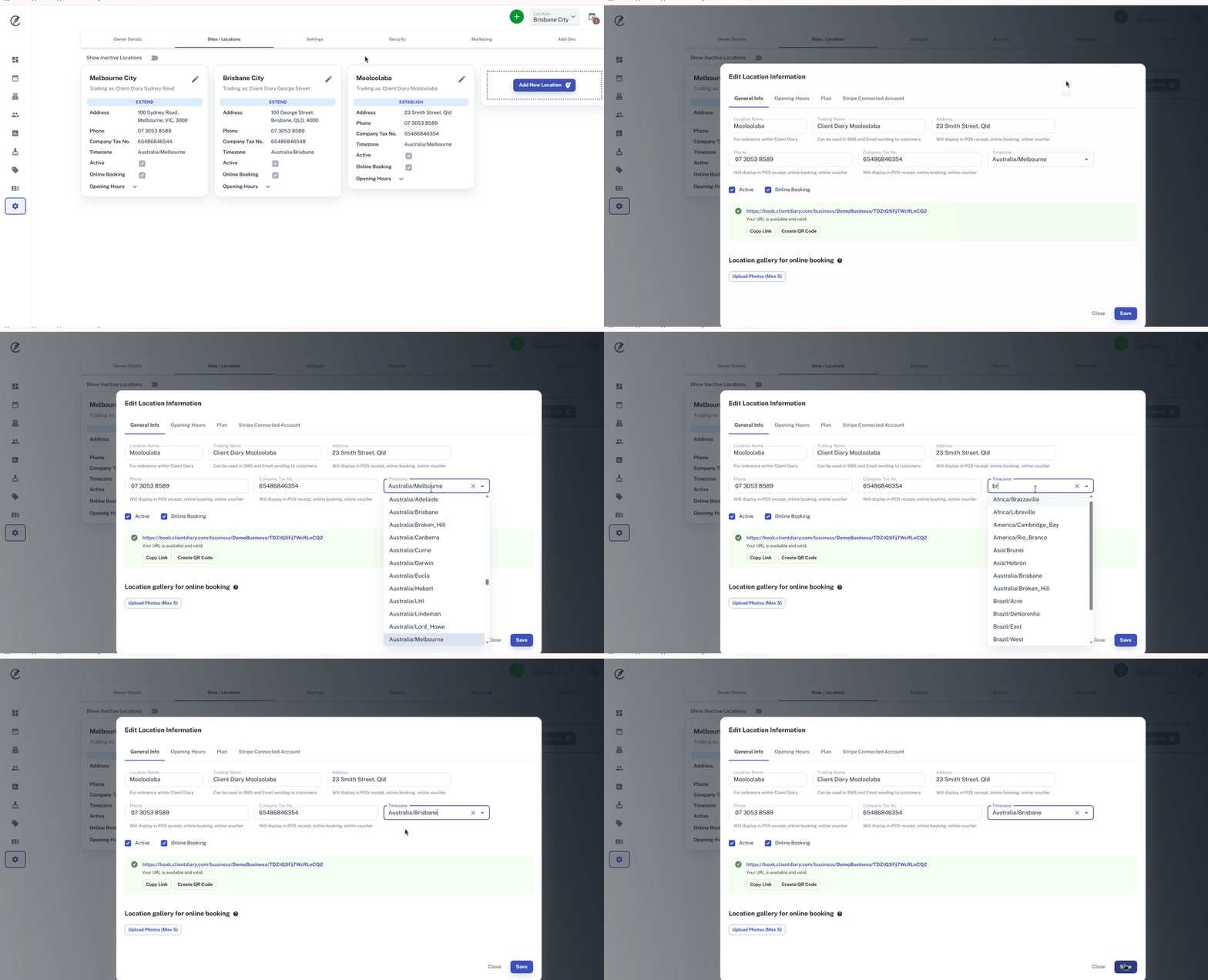
Go to:
- The My Account menu
- Select the Sites/Locations tab
- Click on the pencil icon of the Location you would like to edit
- Press the Timezone box
- Starting typing the new timezone
- It will auto-suggest timezones based on what you have typed
- Select the timezone
- Press Save