On this page
article
How To Change The Currency Value In Client Diary
Learn how to easily change the currency value in Client Diary for transactions by following these steps in the My Account menu under Settings.
In Client Diary you can change your currency value so it shows in your transactions, for example from $ to £.
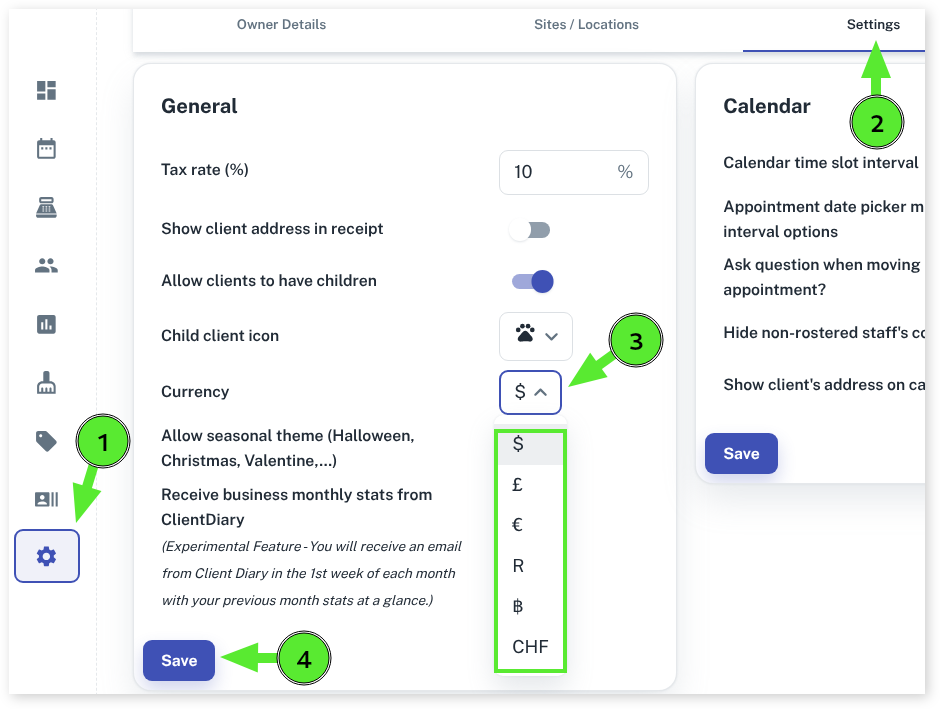
To do this:
- Select the My Account menu
- Press the Settings tab
- Change the Currency drop-downto your desired currency format
- Click on the Save button
Note: a refresh of Clint Dairy is required to reload the new currency value.
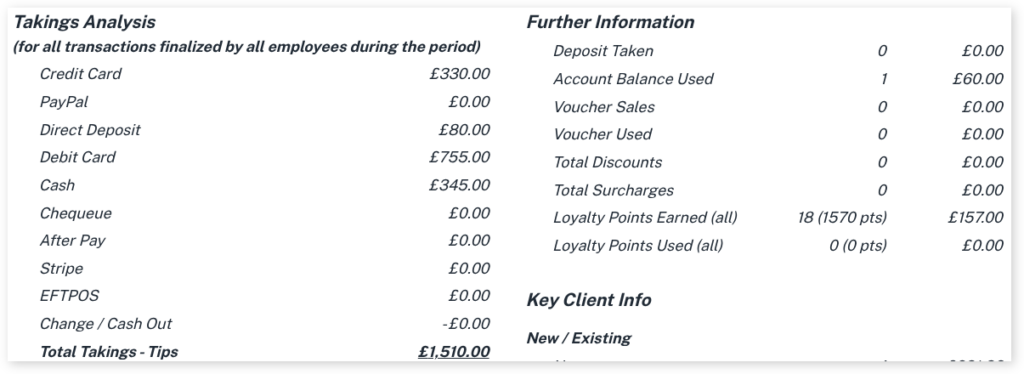
Example of the change in Pos

Example of the change in reports