How to delete things (Clients, Services, Products, etc)
Learn how to effectively manage and delete clients, services, and products by deactivating them in Client Diary to maintain accurate historical information and avoid losing important data.
In Client Diary you deactivate things you want to delete. Here’s an example as to why:
Imagine you delete a client from your database who has been coming to see you for years. Then you want to view a report of the last few years income. The software will show you the income, but it won’t know who payed for the services as they’ve been deleted.
By de-activating a client, the client disappears from view so they aren’t seen anymore, but you can still view historical information about the business that’s accurate.
Common examples:
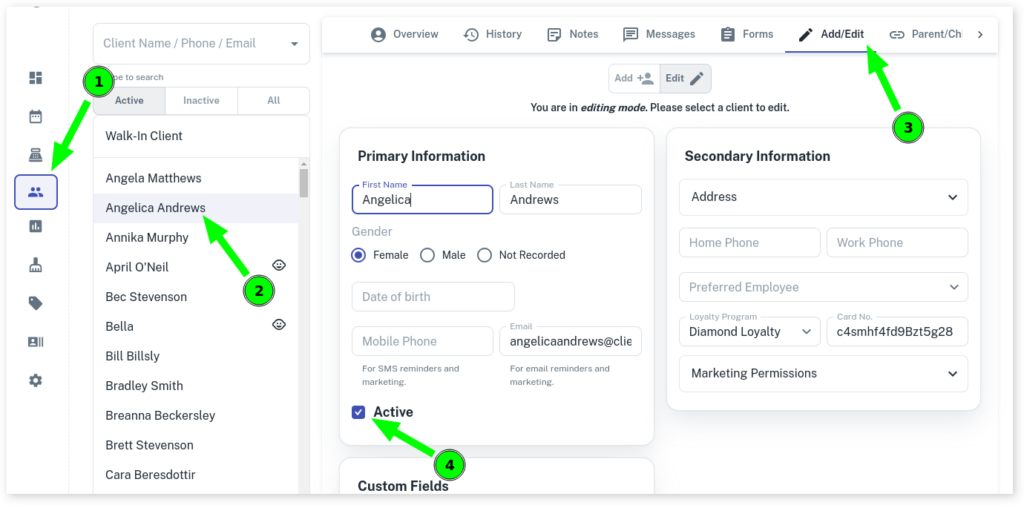
In all examples below, you simply choose the item you want to “delete” and untick the ACTIVE tick box. Then save.
Clients
Services

Products
