On this page
article
How to Log in to Client Diary
Learn how to log in to Client Diary by typing www.clientdiary.com into your web browser, entering your business email and password, and using the provided PIN to access the system for efficient appointment management.
Client Diary does have a very simple login system.
To log in to Client Diary:
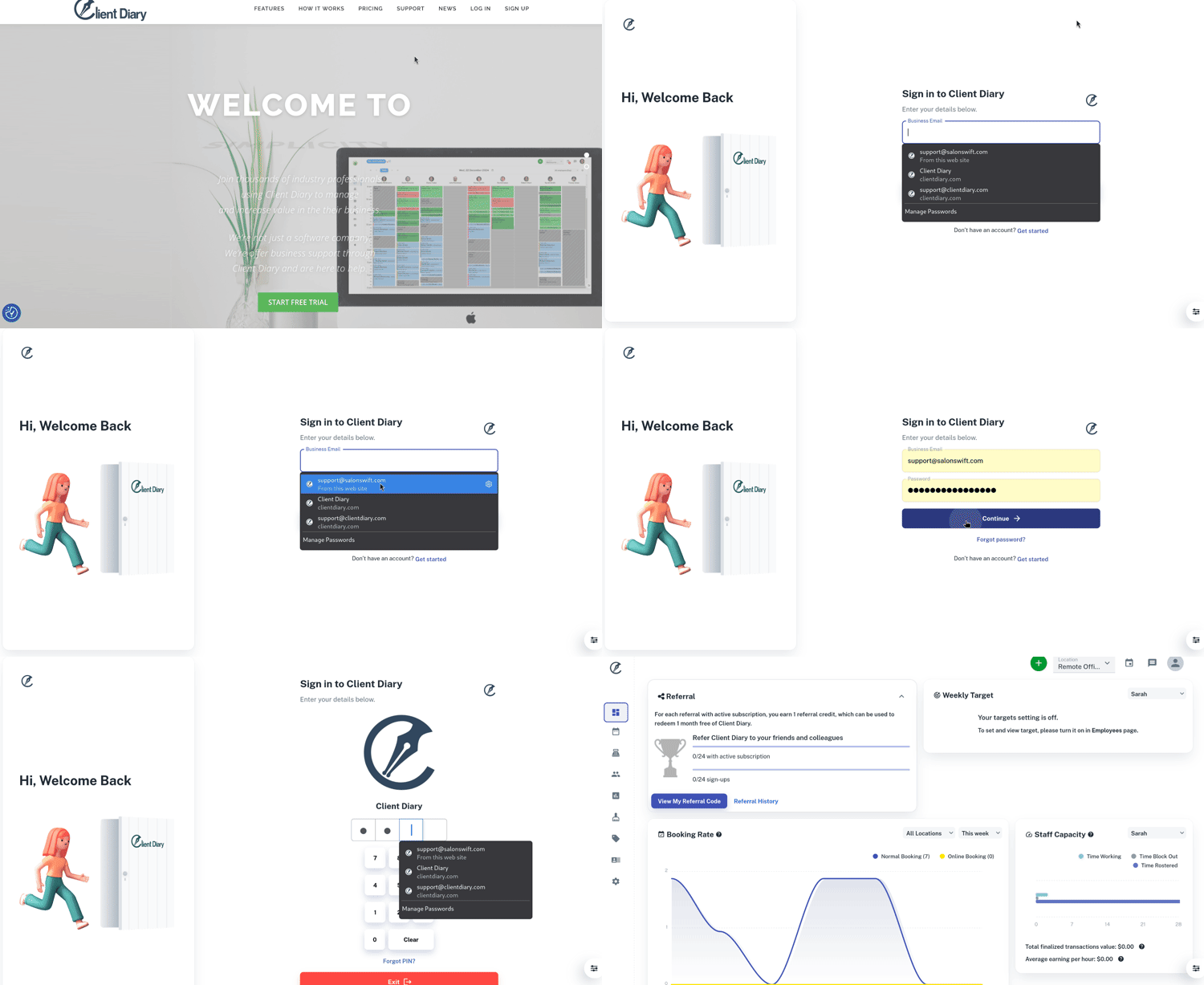
- Type www.clientdiary.com into your web browser I.E (Microsoft Edge, Microsoft Explorer, Google Chrome, Firefox and Safari)
- We recommend that you use Google Chrome for best performance with Client Diary
- Select the Login button
- This will bring up a new screen for Client Diary
- Under Business Email, enter the email address you signed up with Client Diary
- Under **Password,**type in the password you signed up with Client Diary and press the Continue button below. This password is classed as the Admin Password
- On the PIN screen, just type in the PIN provided in the welcoming email that Client Diary sent you after you signed up
- You now have access into Client Diary.