On this page
article
My Receipts / Reports Won’t Print
Learn how to troubleshoot printing issues with receipts and reports in Client Diary by adjusting popup settings in your web browser to allow popups from the application.
Modern web browsers often have popup blockers which are designed to stop things like ads when browsing the web. Unfortunately they also block popups from apps like Client Diary when you try and print.
If you have tried to print and you’re not seeing the report / receipt, look in the top right corner and look for a little icon similar to the one shown in this image:
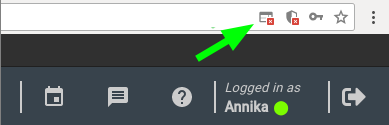
- Click on the small icon and choose to always allow from Client Diary
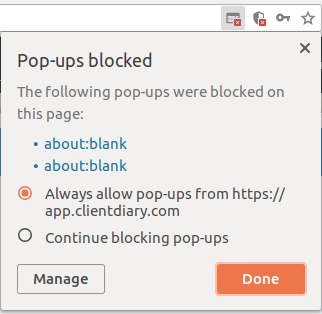
When you then try and print again, the document you are trying to print will show up.